
In This Article
Introduction
The Financials tab displays a comprehensive summary of all charges associated with a Ticket. The information is organized into three primary sections to help you track estimates versus real-time costs.
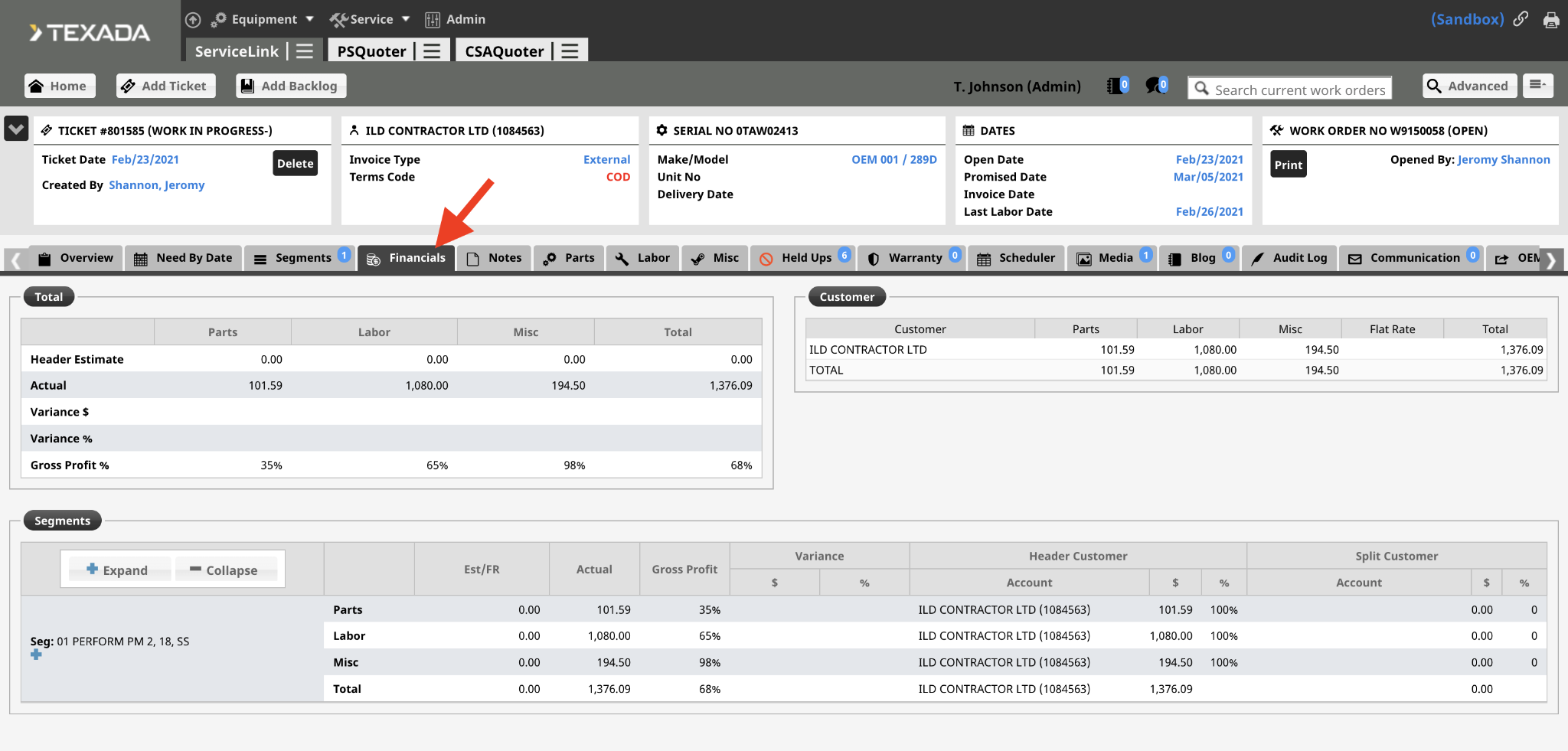
Total
This section provides a high-level comparison of the Header Estimate versus Actual costs for the entire Ticket.
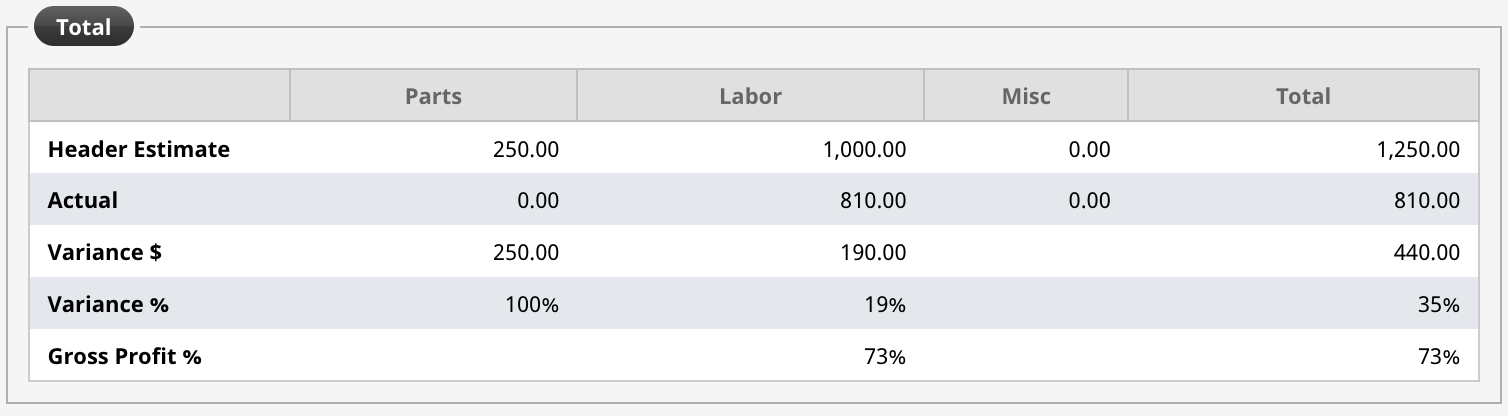
- Header Estimate: Displays the values entered in the Estimate section of the Overview tab.
- Actual: Reflects the current real-time costs of the job based on the following:
- Parts: Only includes parts with a Received status. Pending or backordered parts are excluded.
- Labor: Only includes labor with an Approved status. Pending labor is excluded.
- Flat Rates: If a segment is set to Flat Rate for Parts, Labor, or Miscellaneous, the system will use the Flat Rate value instead of individual transaction costs.
- Variance $ / %: Shows the difference between the Header Estimate and Actual totals. If Actual costs exceed the estimate, these values will be negative. If the values are identical, the fields remain blank.
- Gross Profit %: Displays the calculated gross profit for the entire job.
Customer
This section breaks down the total amount due per customer, categorized by Parts, Labor, and Miscellaneous.
Always review a printed Proforma to validate accuracy before discussing final totals with a customer.

Segments
This section provides a granular breakdown of costs for each segment and operation. You can use the Expand button or Collapse button at the top to manage the level of detail displayed.
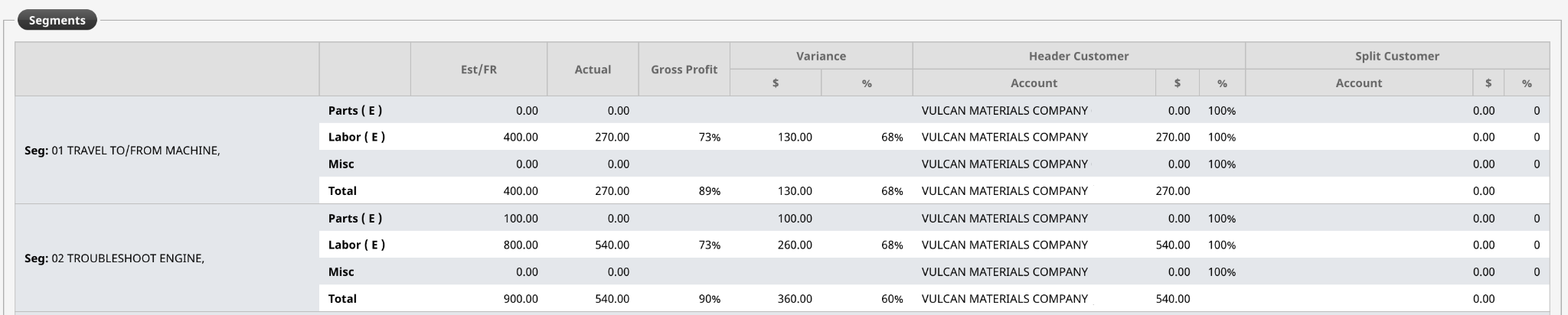
Segment Identifiers
- Each entry displays the Segment Number, Job and Component Code Description, Store, and Cost Center.
Billing Categories
- Each category (Parts, Labor, Misc, Total) displays a letter code indicating the billing method set in the Segment Header:
- E: Estimated
- F: Flat Rated
- Blank: Time and Materials
Cost Columns
- Est/FR: Displays the values entered for each category within the Segment Header.
- Actual: Shows the real-time costs (Received parts and Approved labor only).
- Gross Profit: Shows the profit margin for that specific segment or operation.
- If Flat Rated, profit is calculated against the Est/FR column.
- If Estimated or Time and Materials, profit is calculated against the Actual column.
- Variance $ / %: The difference between Actual and Est/FR columns, regardless of billing category.
Customer Allocations
- Header Customer: Displays the primary customer account, the total dollar amount, and the percentage of the segment they are responsible for.
- Split Customer: If a segment or operation is partially or fully paid by another party, those details (Account, $, and %) will appear here. These splits are managed in the Segment Header section of the Segments tab.