In This Article
Introduction
A Held Up is a condition that can prevent a Ticket from being closed. There are two types of Held Ups: Manual Held Ups and System Generated Held Ups.
Manual Held Ups
Manual Heldups are created by a user and placed on a Ticket. These must be resolved before the Ticket can be closed.
To create a Manual Heldup you will:
- Navigate to the Held Ups tab on a Ticket.
- Click the Add Button.
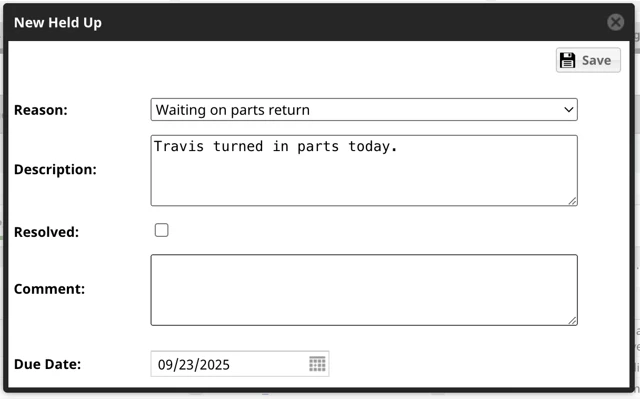
- Select a Reason Code, add a Description, and add a Due Date.
- The Heldup will now show on the ticket.

- To resolve a Manual Heldup, select the edit box.

- Select the Resolved checkbox and add a comment.
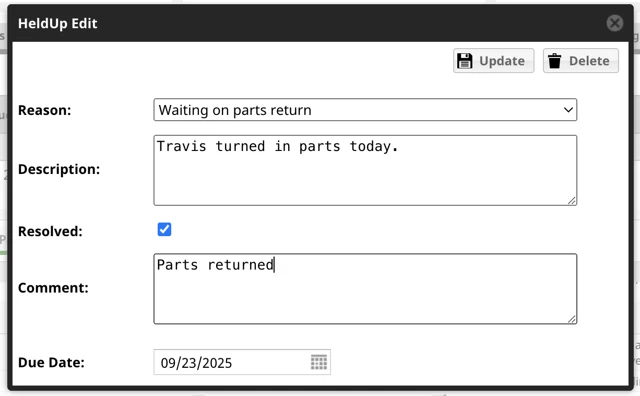
- The Heldup will now show as resolved.

Configuring Reasons
Admin roles can configure the Reasons.
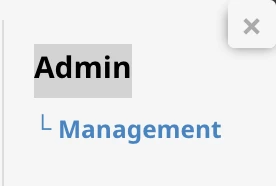
- Click on the hamburger menu next to ServiceLink, then click on Admin → Management.
- Click on Heldup Reasons.
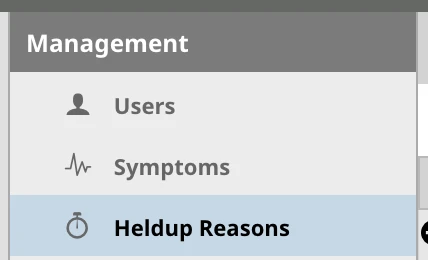
- Click the Add button for the Status you want to add a new Heldup too and a new line will appear at the bottom for you to add the Reason.

- Click the Save button.

System Generated Held Ups
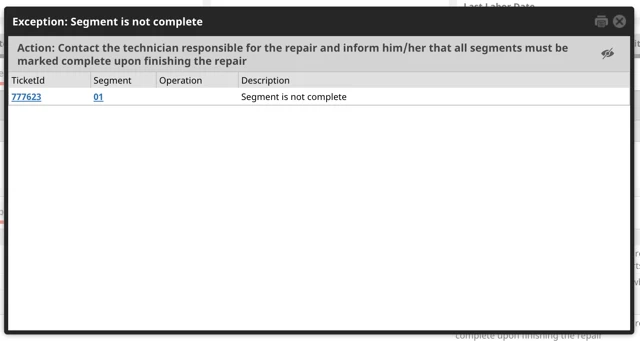
System Generated Heldups are triggered automatically by the system when specific conditions are not met, such as a missing Purchase Order or Unapproved Labor.

System Generated Heldups can be either a hard stop or a soft stop:
- Hard stops prevent a Ticket from being closed. These are noted with a checkbox. A Ticket cannot be closed until all hard stop reasons are resolved.
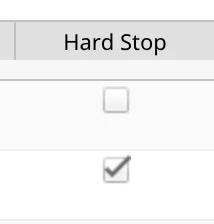
- Soft stops are notifications of an existing condition but do not prevent a Ticket from being closed.
System Generated Heldups are also categorized into the following categories: Header, Labor, Misc, Parts, Segments/Operations, and Warranty.
Each Heldup has a number that is hyperlinked.

Clicking that number will bring up the details and from there you can click on the segment/operation number to go directly to that segment/operation to view and resolve the heldup.