In This Article
Introduction
The Warranty tab serves as your central control workspace for all warranty-related components of a job. When you select this tab from the top navigation bar of an open ticket, the screen automatically populates with three primary sub-views: Warranty Segments, Warranty Claims, and Warranty Work Order.
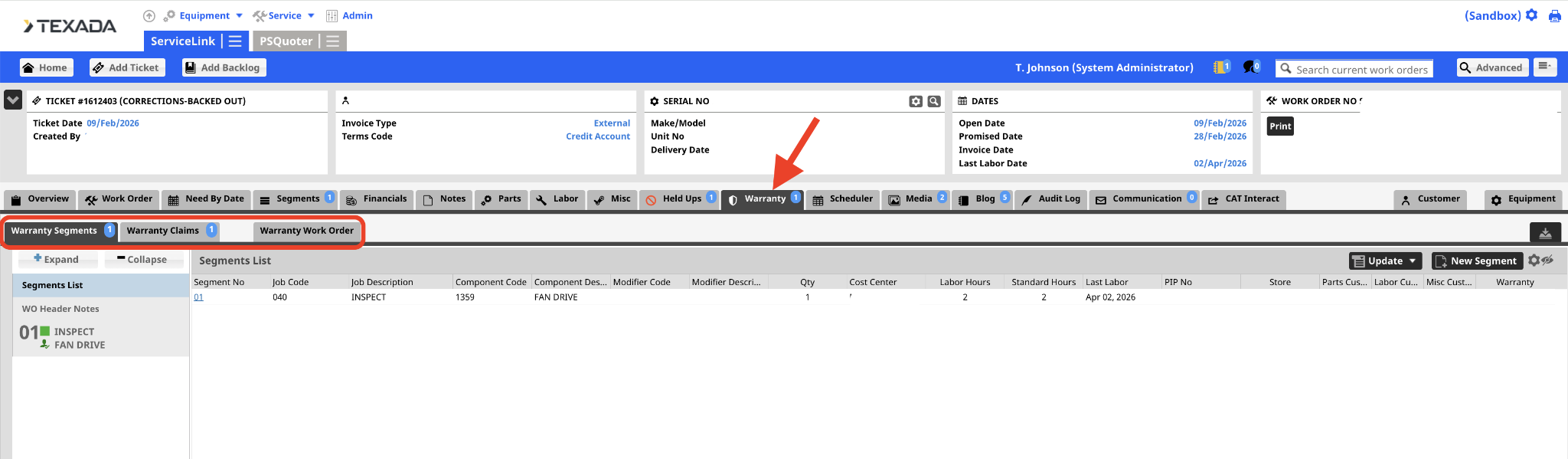
Warranty Segments
This view displays a complete list of all individual repair segments on the current ticket that have been officially coded for warranty coverage.
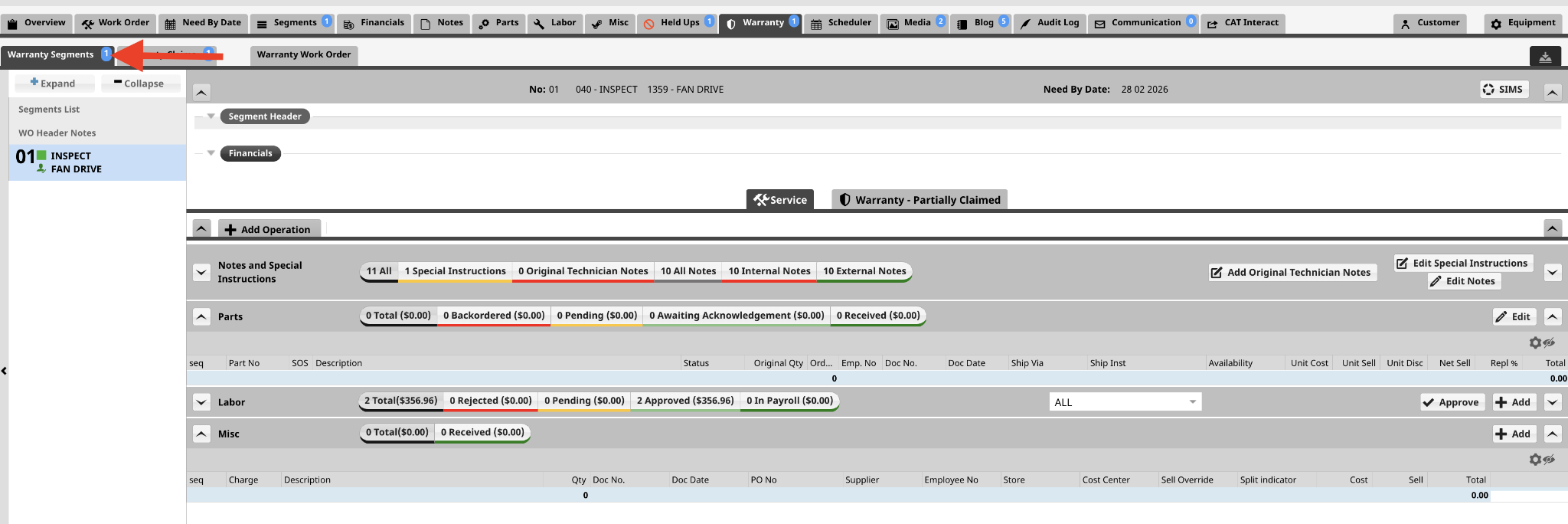
- Segment Header: This section shows the Segment Header details.
- Financials: This section provides a granular breakdown of costs for each segment and operation. Review the “Ticket - Financials” page to see more details on this.
- Service: This section shows the information that you would find on the Segments Tab. See “Ticket - Segments” for more information.
- Warranty - Not Claimed: This section will show you the Warranty Held Ups and Warranty Claims.
- Warranty - Partially Claimed: This section shows the claims for this job.
Warranty Claims
This section is used to manage and track the actual claim request sent to the manufacturer for reimbursement.
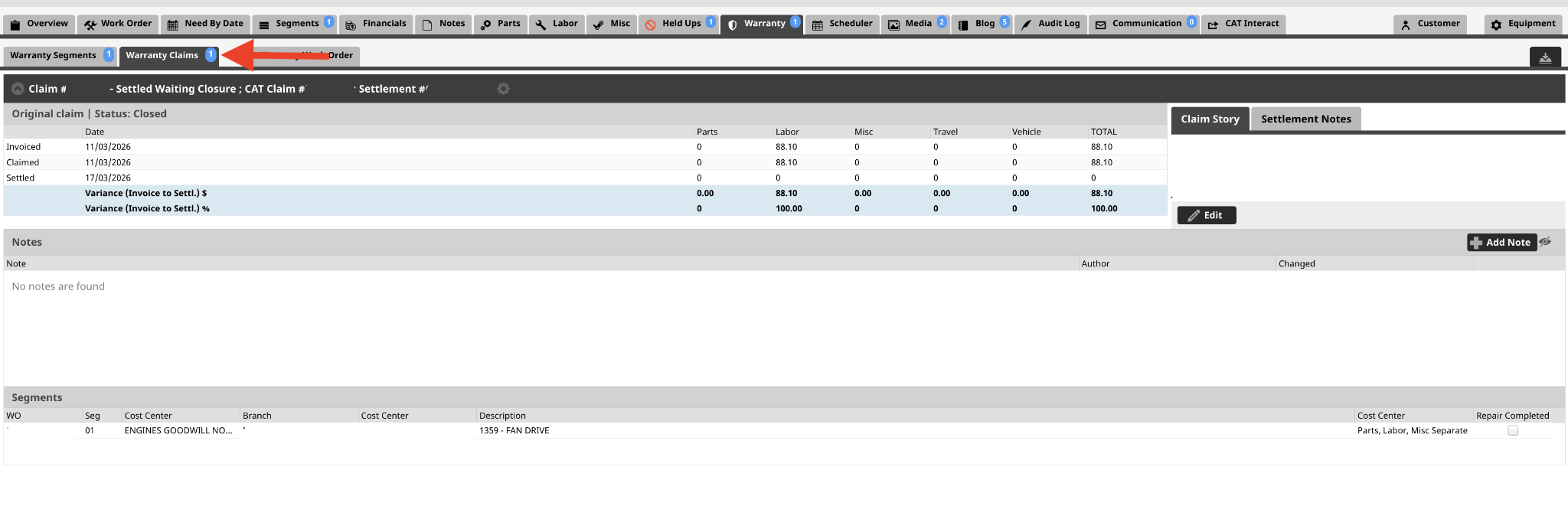
It breaks down the file details for you:
- Invoiced vs. Claimed vs. Settled: Displays a clear comparison of what the shop billed, what was submitted to the vendor, and what the vendor actually paid, along with the variance.
- Claim Story: The written description explaining exactly what broke and why. Depending on how your store is configured, you might type the story here to transmit it to your ERP system, or it will pull in automatically from your ERP.
- Settlement Notes: Resolution comments and notes written by the warranty analysts when they process a claim.
- Internal Notes: A plain text box where you can select the Add Note button to record your own working notes about the claim.
- Collapsing Multiple Claims: If a complicated repair requires more than one claim, you can select the arrow next to the claim number at the top to collapse the view and clear your screen space.
- Reprice / GetChanges Button: Service Management CD utilizes a synchronization feature here. Selecting this button triggers a sync back to your ERP system, pulling any backend pricing updates directly onto your ticket parts and labor rows.
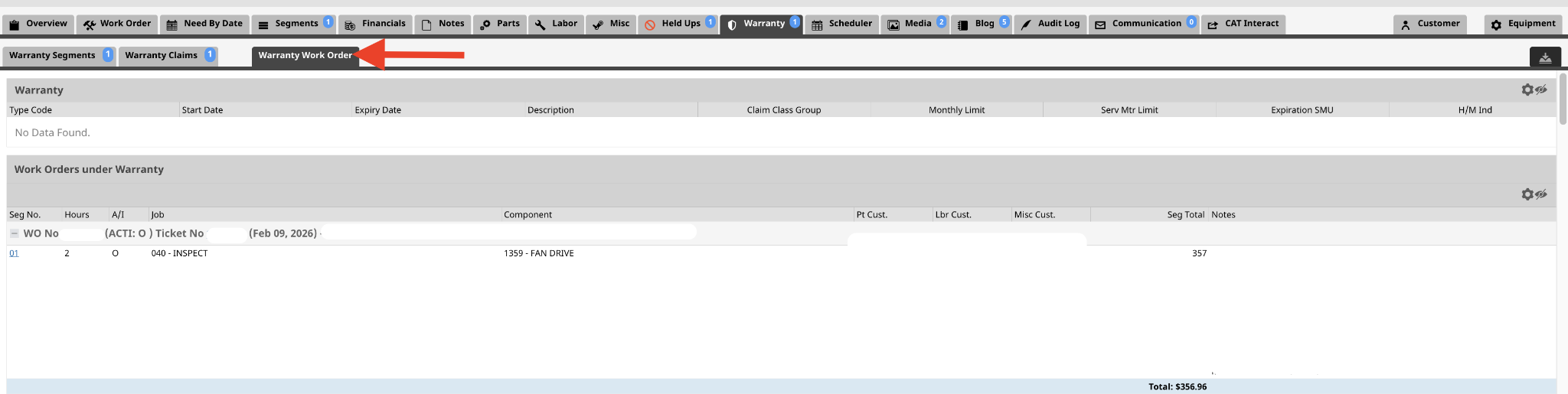
Warranty Work Order
This tab shows you the Warranty for the unit. It will also show historical work orders that were coded to warranty. You can review the Segment Job and Component Code and the Notes within this view. You can also click on the Hyperlink to go to the ticket or Segment and see more details.