Your voice matters!
This feature was put into production as a result of its popularity in the CloudLink Ideas Portal!
The Ideas Portal allows Texada customers to submit and vote on possible product improvements. Join the community today and help shape the future of Texada's products!

Introduction
Texada is pleased to announce that Export to Excel functionality has been added to all Parts, Labor, and Miscellaneous views in Service Management CD! This highly-requested feature makes it easy to manage Work Orders externally - especially useful for Work Orders with extensive Parts, Labor, or Miscellaneous lists.
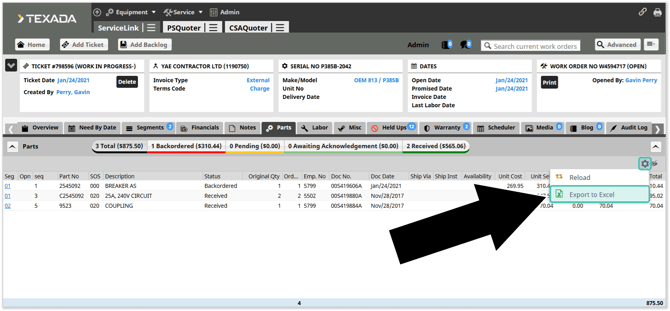
To use this feature, simply open a Work Order in Service Management CD, then navigate to the Parts, Labor, or Misc tab. Click the gear icon  in the top-right corner, then select “Export to Excel” to download the list of items as an .xlsx file.
If the current page contains no data, the “Export to Excel” button will not appear.
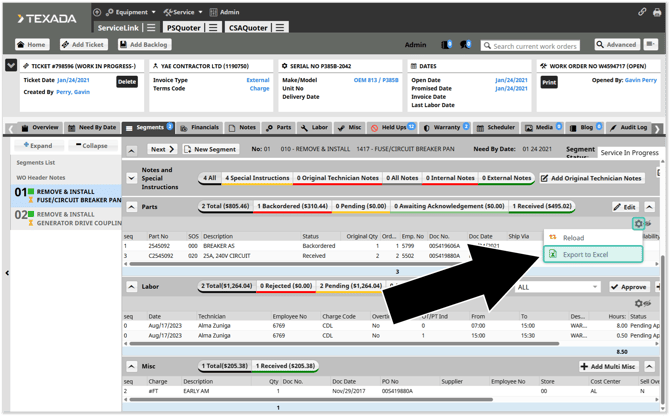
Exports can also be performed at the Segment level. To do this, open a Work Order Segment and scroll down to the Parts, Labor, or Misc section. Click the gear icon in the top-right corner of the section, then select “Export to Excel”.
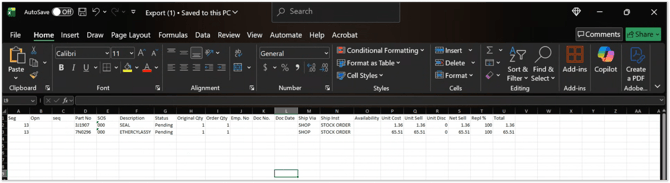
Depending on your browser’s settings, you may be prompted to select a download location, or the file may be automatically downloaded to your Downloads folder. You can now open the file in Microsoft Excel.