
In This Article
Introduction
Service Management CD now supports scheduling technicians at the Operation level!
In Service Management CD, a single service request, or Work Order, is often broken down into multiple Segments. Each Segment represents a distinct service task to be completed, such as “align tires”, “repair engine”, or “clean exhaust”.
Segments can be further broken down into Operations. For example, the “repair engine” Segment may comprise the “wash”, “disassemble”, and “repair” Operations. Because these Operations can require a diverse set of skills to perform, completing a single Work Order Segment can often require the involvement of multiple service technicians.
Historically, Service Management CD has only supported scheduling technicians at the Work Order or Segment level. With this update, technicians can now be assigned to specific Operations, giving you more precise control than ever before!
Keep reading to learn about the changes made to Service Management CD and Service Management CD Mobile to accommodate this change.
Service Management CD
Operation-Level Scheduling
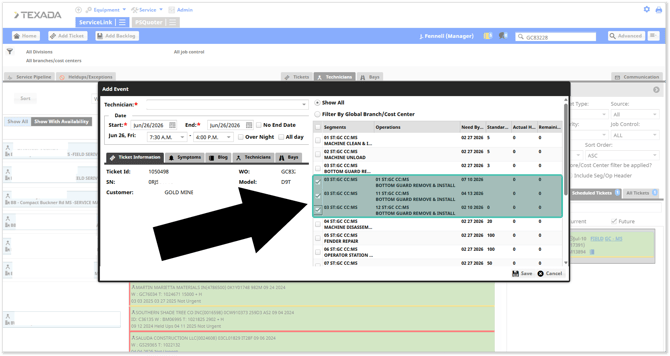
It is now possible to schedule work at the Operation level in Service Management CD! To do this, open the Technician Scheduler and drag a Work Order from the Tickets panel into the main timeline as usual. Operations will appear blue in the timeline.
When the “Add Event” window appears, you will notice that each Segment’s Operations are now listed under the Segment itself. Check off one or more Operations to assign only those Operations to the technician.
When viewing a Segment’s details in Service Management CD or Service Management CD Mobile, all technicians assigned to one or more of the Segment’s Operations will also be shown as being assigned to the Segment itself.
Operation and Segment-Level Filtering
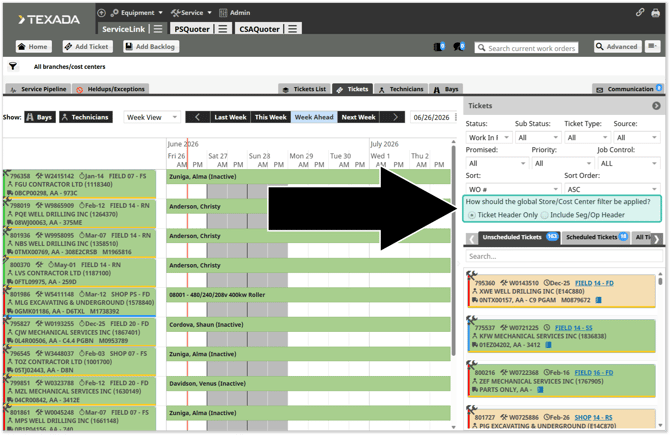
In addition to scheduling Tickets at the Operation level, it is now possible to filter Tickets in the Technician Scheduler by Segment and Operation!
A new “Ticket Header Only / Include Seg/Op Header” option has been added to the Tickets panel on the right side of the Technician Scheduler. This determines how the filters selected in this panel will be applied.
- Ticket Header Only: Filters will be applied at the Ticket header level.
- Include Seg/Op Header: Filters will be applied first at the Operation level, then at the Segment level, then at the Ticket header level.
Service Management CD Mobile
My Work
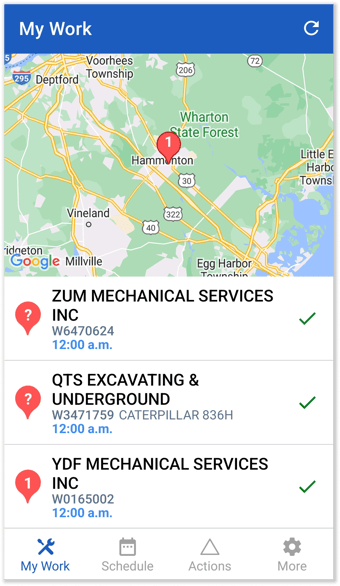
The My Work screen now includes Work Orders for which the technician is assigned to at least one associated Operation.
Operation-Level Filtering
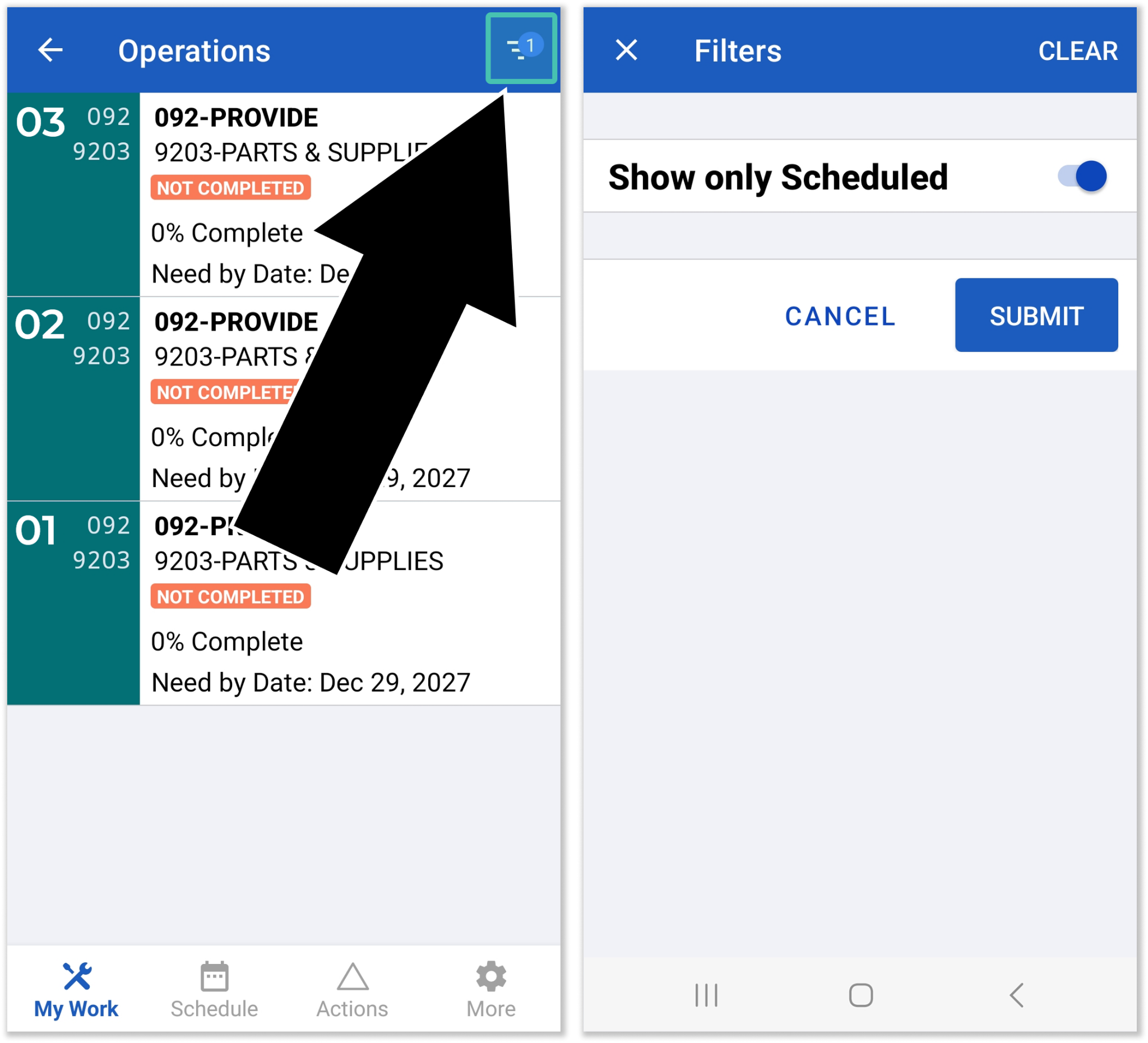
A new “Show only Scheduled” filter has been added to the Operations screen. When viewing Operations for a Segment, this filter allows the user to only view Operations that have been scheduled for them. This filter will be active by default; deactivate it to view all Operations for that Segment.
To access this filter, tap the filter icon  in the top-right corner of the Operations screen. Note that if no scheduled Operations exist, unscheduled Operations will be shown even when this filter is active.
Configuration
The behavior of this feature can be modified using the following configuration keys in CloudLink Console. See “Manage Configuration Keys” for more information.
Operation Level Scheduling
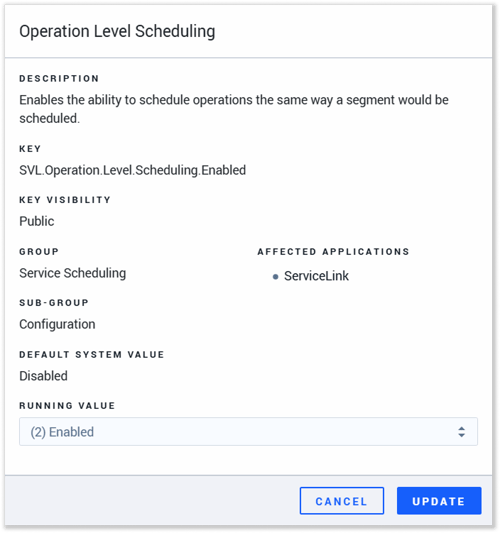
Key: SVL.Operation.Level.Scheduling.Enabled
This key can be used to enable or disable Operation level scheduling.
- (1) Disabled: Operation level scheduling is disabled.
- (2) Enabled: Operation level scheduling is enabled.
Scheduler Filter Level Default
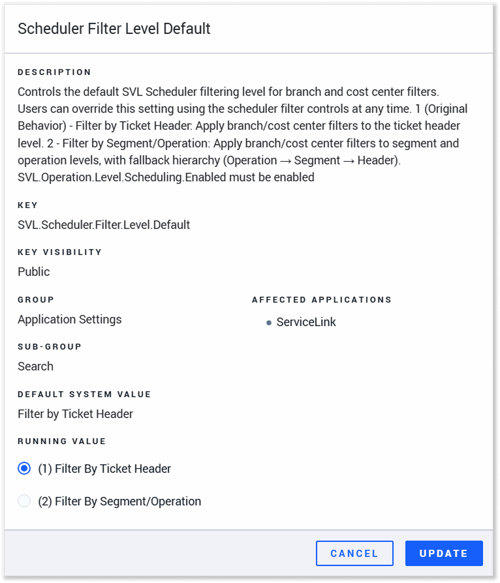
Key: SVL.Scheduler.Filter.Level.Default
This key determines the default value of the “Ticket Header Only / Include Seg/Op Header” option in the Technician Scheduler’s Tickets panel. This key will only have an affect while Operation Level Scheduling is enabled.
- (1) Filter By Ticket Header: “Ticket Header Only” will be selected by default. Filters will be applied at the Ticket header level.
- (2) Filter By Segment/Operation: “Include Seg/Op Header” will be selected by default. Filters will be applied first at the Operation level, then at the Segment level, then at the Ticket header level.