
In This Article
Introduction
This manual provides step-by-step instructions for creating a Contract from a WON Customer Value Agreement (CVA) quote in Service Agreement Quoting (SAQ) and then returning enrollment numbers for each unit on the quote/contract.
Procedure
Create the contract from a won quote then Send to ERP in order to return enrollment numbers for each unit.
Step 1: Create the Contract
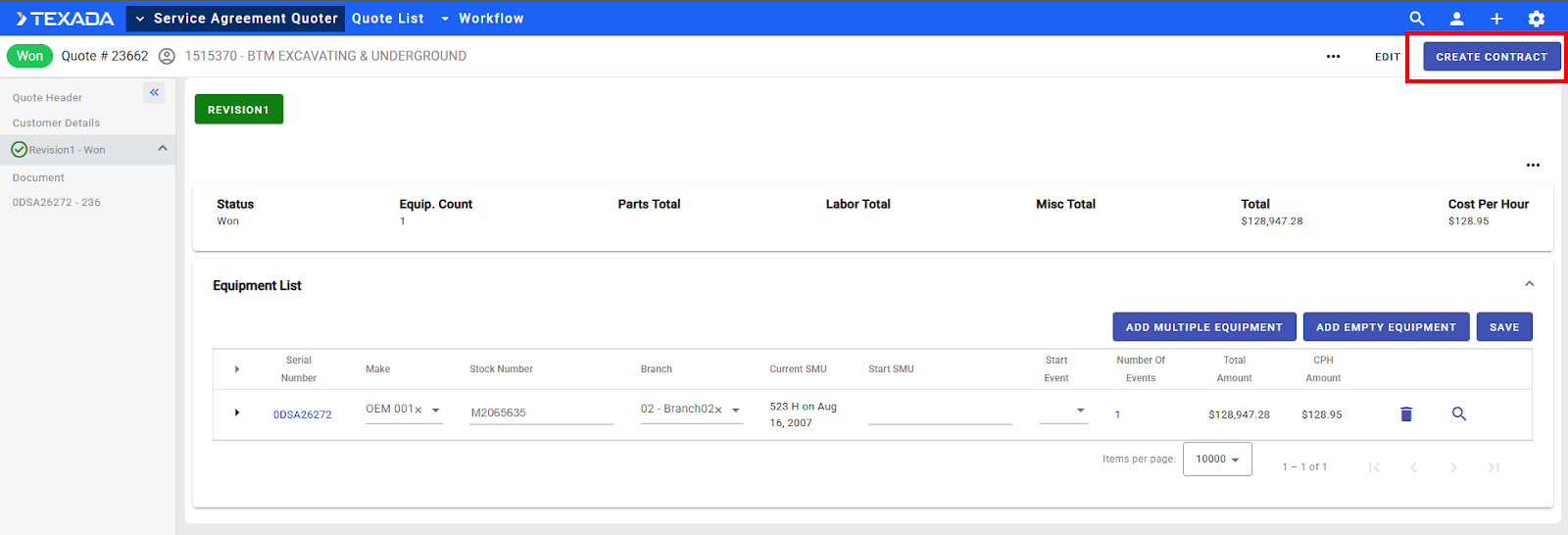
- Once the signed Quote is received, return to SAQ.
- Open the approved quote by typing the quote number in the search box.
- Click the CREATE CONTRACT button in the top right corner to initiate contract creation.
NOTE: CVA Contract will now appear in the left menu and the new window will show the CVA Contract Header Information. - Fill out any required information.
NOTE: Once all required fields are filled in the SEND TO ERP button will then be selectable.
NOTE: The various items within the CVA Contract Header section can be enabled to be selectable if needed. The dealer CVA Admin will need to go into Contract Configurations within the CVA Admin menu (gear in the top right corner) to access. - Click Save.
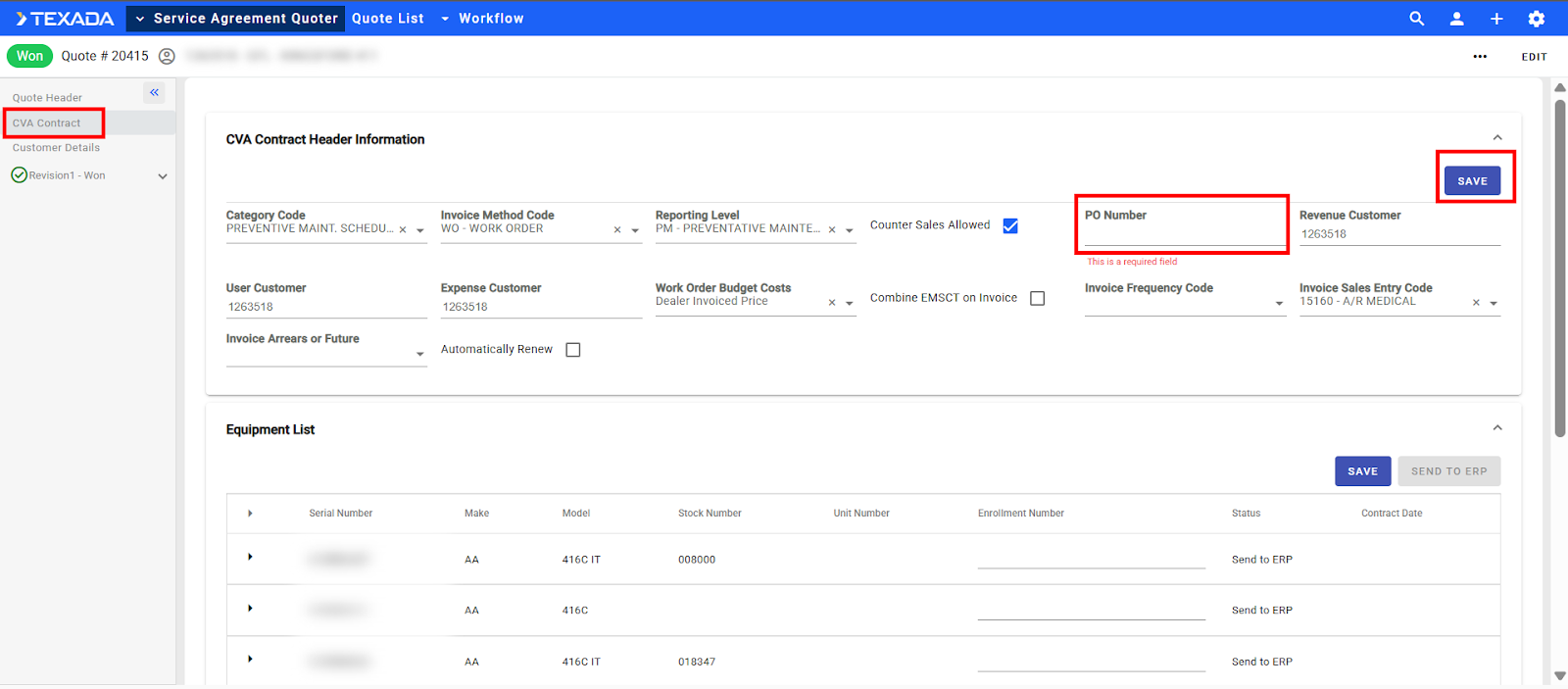
Step 2: Get Enrollment Numbers (Send to ERP)
- Once the contract has been created and the CVA Contract Header information saved the SEND TO ERP button will be selectable.
NOTE: If a Contract has already been created, in order to get back to the SEND TO ERP button, the user will need to access the quote then in the left menu click CVA Contract. - Click the SEND TO ERP button.
NOTE: It may take some time (around 60 seconds) for the data to return enrollment numbers.
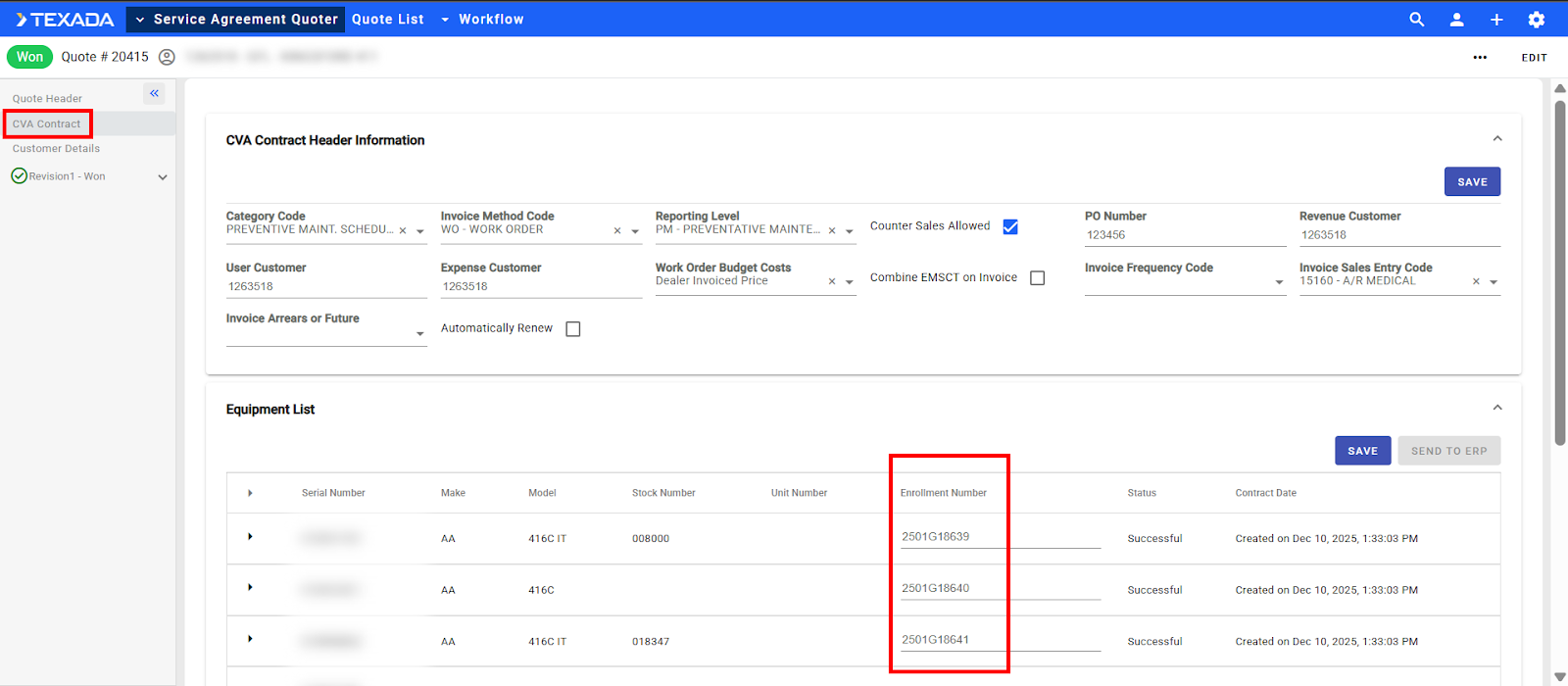
Enrollment numbers can be either generated automatically by DBS or can follow a pattern as is designated by the dealer CVA admin using the Admin setup in the Contract Configuration settings.
If the CVA Contract - Generate Enrollment Number from DBS (SAQ.CVA.Contract.Generate.Enrollment.Number.FromDBS.Enabled) configuration key is enabled, this field is optional and read only (enrollment numbers are generated by DBS). Otherwise, this field is mandatory and a pattern must be selected.
- (1) Manually Entered - The enrollment number is editable and mandatory (10-digit alpha numeric enrollment);
- (2) Other - The enrollment number is read only (SAQ generates number based on pattern selected)
See “Manage Configuration Keys” for more information on modifying configuration keys in CloudLink Console.