
Quick Reference
- Each Quote created in Service Agreement Quoting has a status which changes as it progresses through its lifecycle. There are six different Quote statuses: Open, Submitted For Approval, Approved, Won, No Deal, and Lost.
- To change a Quote’s current status, click one of the action buttons or dot menu
in the top-right corner of any subscreen of the Quote Details page. The statuses to which you can transition are determined by the Quote’s current status.
- Once a Quote’s status has been changed to “Won”, you can generate a CVA Contract using the “Create Contract” button.
Introduction
Each Quote created in Service Agreement Quoting has a status which changes as it progresses through its lifecycle. The following article will describe the significance of these statuses as well as how to change a Quote’s current status.
Quote Statuses
There are six different Quote statuses: Open, Submitted For Approval, Approved, Won, No Deal, and Lost.
|
Status |
Description |
|
Open |
The Quote has been created and is being finalized. |
|
Submitted For Approval |
The finalized Quote has been sent for approval. |
|
Approved |
The Quote has been approved to be sent to the Customer. |
|
Won |
The Quote has been won. |
|
No Deal |
The Customer has rejected the Quote in its current state. |
|
Lost |
The Quote has been lost. When transitioning to this status, you will be prompted to submit a reason the Quote was lost. |
A Quote’s current status can be seen in the “Status” column of the Quote List, as well as in the “Quote Status” field near the top of the Quote Header page.
Changing Quote Statuses
To change a Quote’s current status, click one of the action buttons or dot menu 
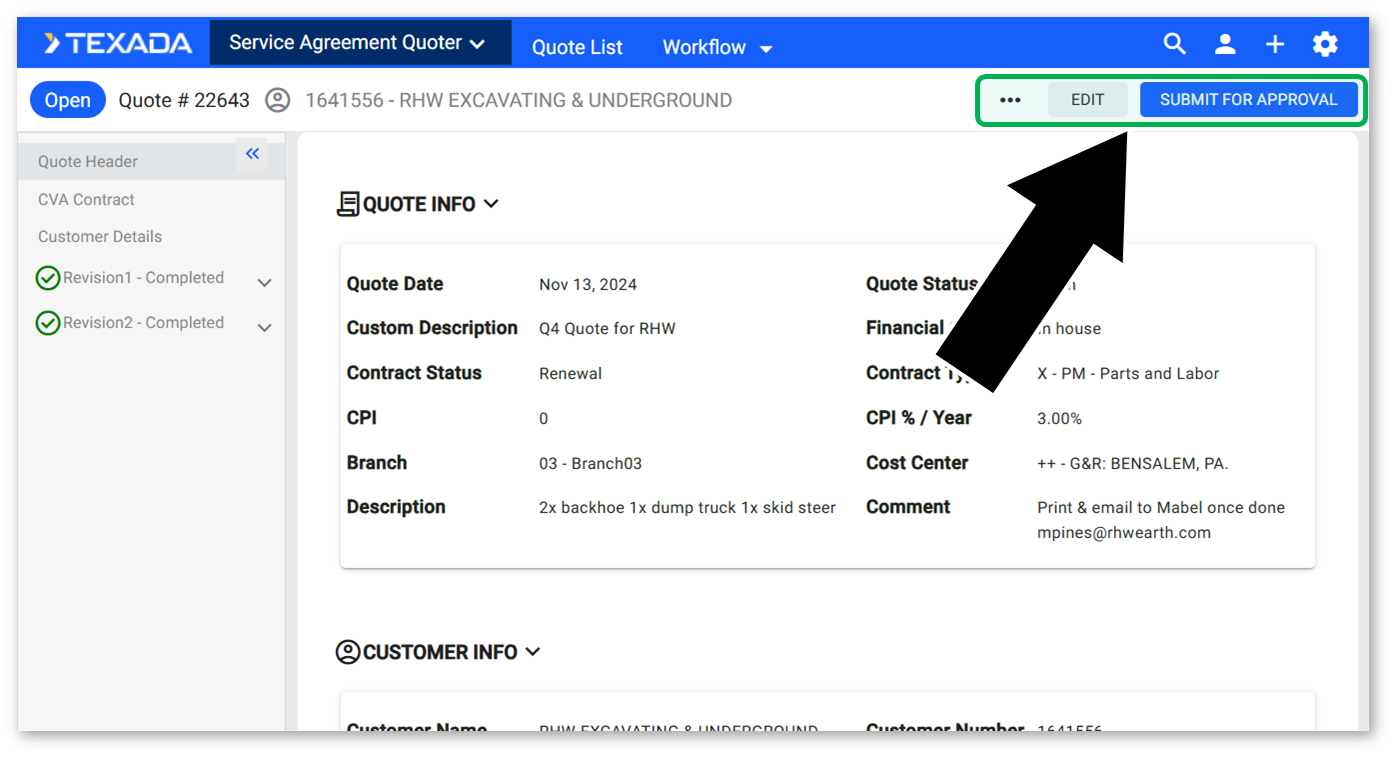
The statuses to which you can transition are determined by the Quote’s current status. The below table illustrates the relationship between the statuses:
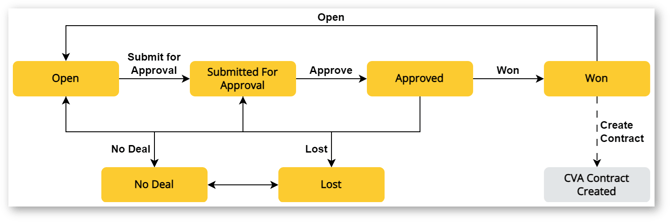
Once a Quote’s status has been changed to “Won”, you can generate a CVA Contract using the “Create Contract” button. While this action is dependent on the Quote’s status, it does not represent a distinct status in its own right.