
In This Article
Introduction
These notes address new features and code fixes for version 2024.0425 of Service, Rental, and Financials (Next). Release dates for this version are as follows:
North America: Thursday, June 13th, 2024 @ 9PM EST
APAC: Thursday, June 13th, 2024 @ 9PM AEST
Release Highlights
Introducing the new E-Commerce Administration Panel!
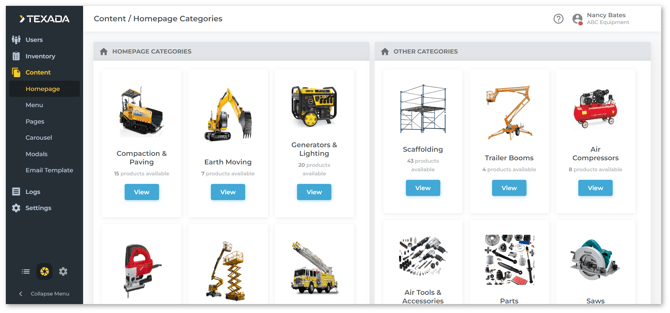
Texada is pleased to announce the launch of the new E-Commerce Administration Panel, available to all existing E-Commerce customers! This updated panel features a sleek new UI and can be accessed directly from Service, Rental, and Financials (Next). Manage your online business and counter operations from the same location with the combined power of E-Commerce and Service, Rental, and Financials!
/Learn%20More.png?width=180&height=51&name=Learn%20More.png)
Faster Pickup Ticket Creation
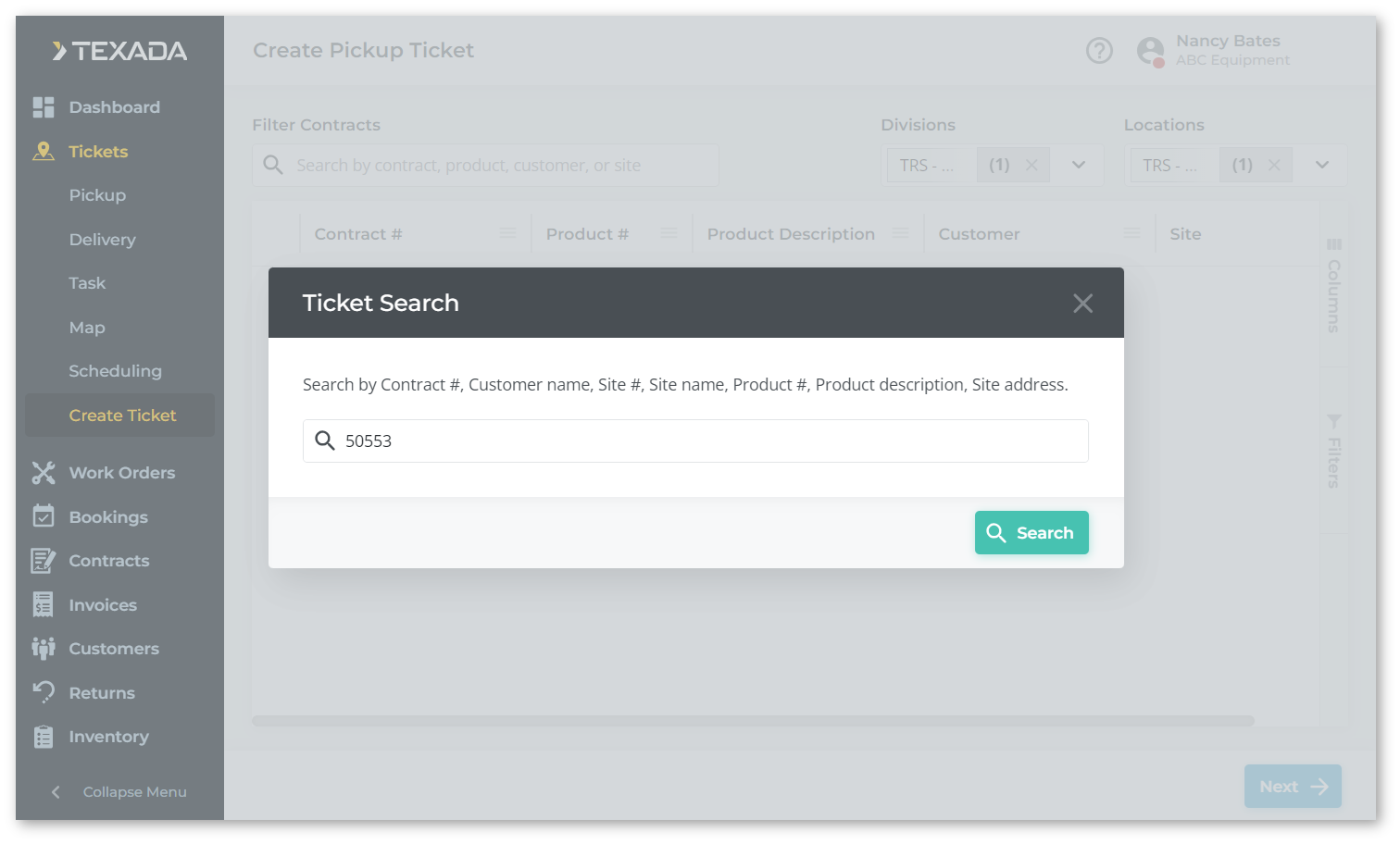
When creating a Pickup Ticket in Rental Management (Next), a new “Ticket Search” window will now appear. This window lets you filter the list of equipment by Contract, Customer, Site, or Product. This speeds the Ticket creation process by allowing you to quickly locate the products you need without loading the entire list of equipment.

Contracts
|
Ticket # |
Description |
|
TR-959 |
Fixed a bug affecting Contract creation in which adding a Product to a new Contract, saving that Contract as a draft, then removing the Product and saving the Contract would occasionally cause the removed Product to be included on the finished Contract. |
|
TR-708 |
Mandatory custom fields are no longer required when saving a Contract as a draft. |
|
TR-1122 |
Resolved an issue affecting the Create / Edit Contract screen in which the Substitution window would occasionally fail to appear when adding an unavailable Product to the Contract. |
|
TR-1221 |
Resolved an issue affecting the Create Contract page in which a “Record not found” error message would intermittently appear. |
|
TR-970 |
Improved synchronization of Contract information between Rental Management (Classic) and (Next). |
Customers
|
Ticket # |
Description |
|
TR-704 |
The format of phone numbers in the Create / Edit Contact window has been updated to match other phone number fields throughout the system. |
|
TR-1174 |
Resolved an issue affecting the Create / Edit Customer screen in which attempting to save a Customer record would occasionally result in a “Name not provided” error, even when a valid name was entered. |
Invoices
|
Ticket # |
Description |
|
TR-1094 |
Resolved an issue affecting the Create Invoice screen in which attempting to increment/decrement the quantity of a Product on the Invoice would occasionally result in unexpected behavior. |
|
TR-1279 |
Resolved an issue in which an "At least one product cannot be added to the document" error message would occasionally appear when creating an Invoice in Financials (Next). |
Tickets
|
Ticket # |
Description |
|
TR-973 |
When creating a Pickup Ticket, a new Ticket Search window will now appear allowing you to filter the Contract list by Contract #, Customer name, Site #, Site name, Site address, Product #, or Product description. This allows you to quickly locate the Product for which you want to open a Ticket without the need to load all Products. |
|
TR-957 |
Resolved an issue in which attempting to create a Delivery Ticket for a Product would cause an error if that Product's date out differed from the start date of its parent Contract. |
Work Orders
|
Ticket # |
Description |
|
TR-108 |
Users attempting to close or invoice a Work Order referenced by a Purchase Order will now receive a message immediately upon clicking the Close/Invoice Work Order button, warning them that they will be unable to close the order. This warning will now also include the PO# of the Purchase Order referencing the Work Order in question. |
|
TR-1210 |
An error message will now be displayed when attempting to print a tag for a Work Order to which no Mechanic has been assigned. |