In This Article
- Introduction
- Enable E-Commerce Access in Service, Rental, and Financials (Classic)
- Enable E-Commerce Access in Service, Rental, and Financials (Next)
Introduction
Any existing Service, Rental, and Financials user can easily be given access to E-Commerce. The following article will describe how to do this in both Service, Rental, and Financials (Classic) and (Next).
Enable E-Commerce Access in Service, Rental, and Financials (Classic)
- Log in to Service, Rental, and Financials (Classic) and navigate to System Maintenance → Configure System Settings → Security → Operators.
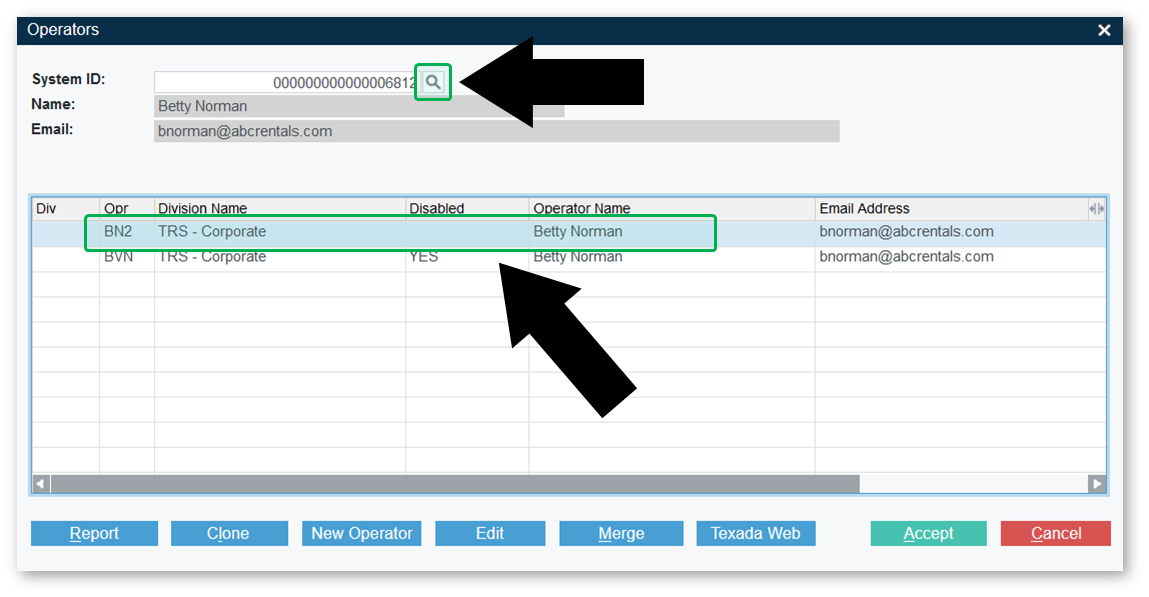
- In the Operators window, search for the operator you would like to edit, then double-click the record to which you would like to grant E-Commerce access.
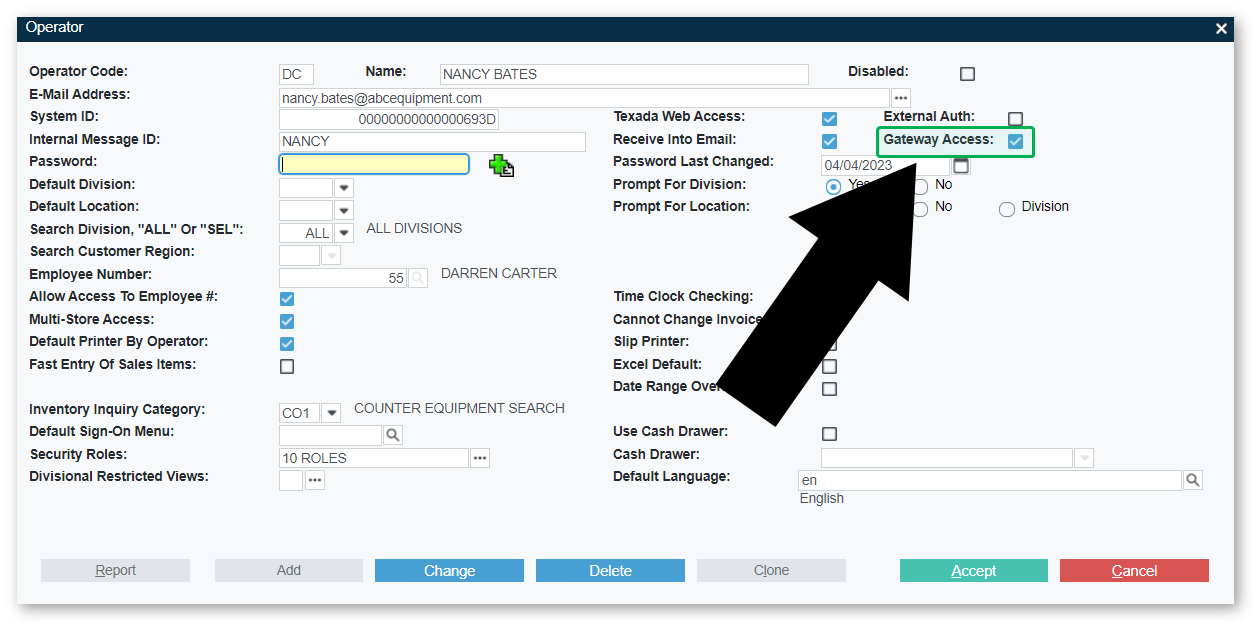
- Check the “GateWay Access” checkbox, then click “Accept” to save your changes.
Enable E-Commerce Access in Service, Rental, and Financials (Next)
- Log in to Service, Rental, and Financials (Next) and navigate to the User Menu (click on your name in the top-right corner of the screen) → Settings → Company Settings → Users.
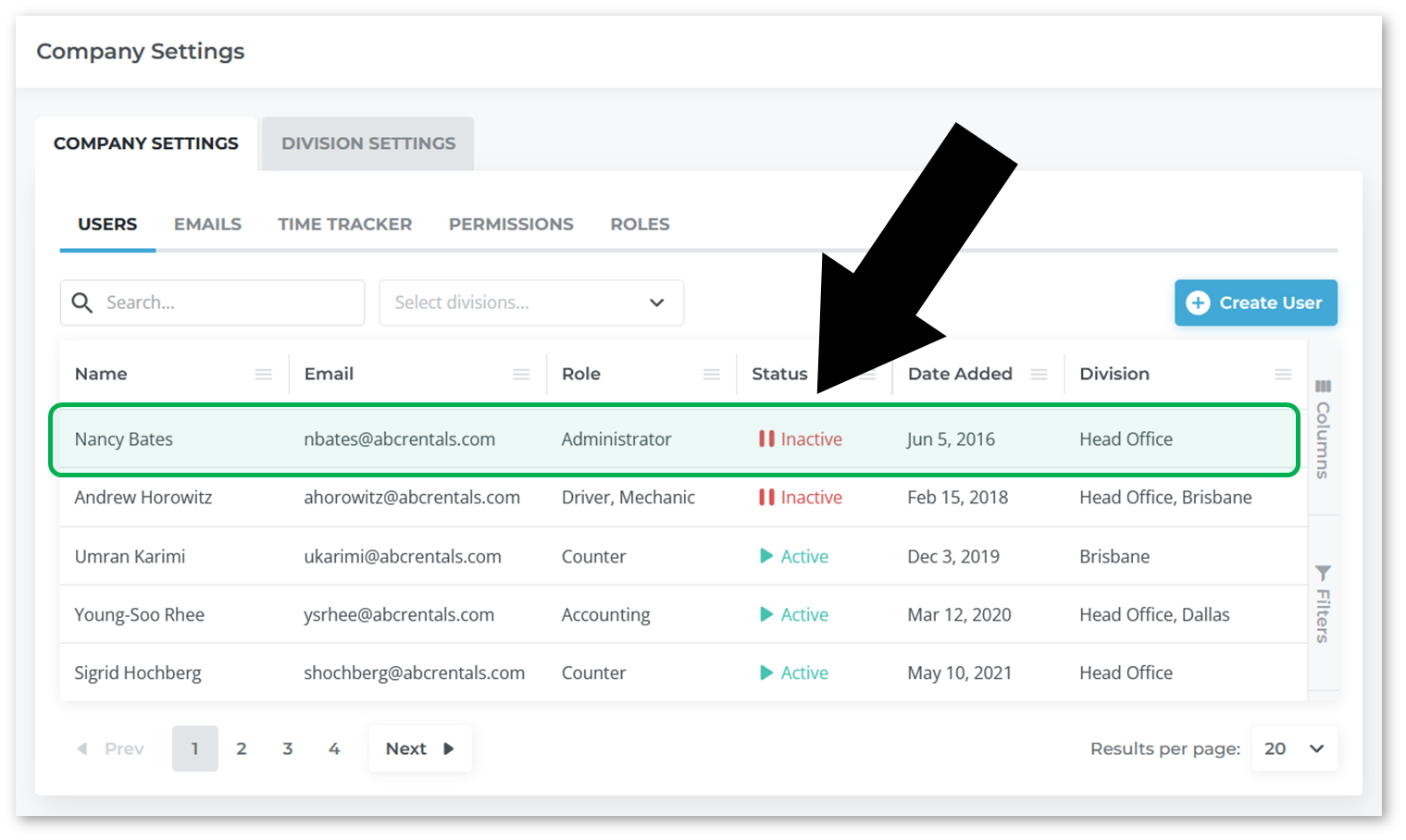
- On the Users page, click on the user to which you would like to grant E-Commerce access.
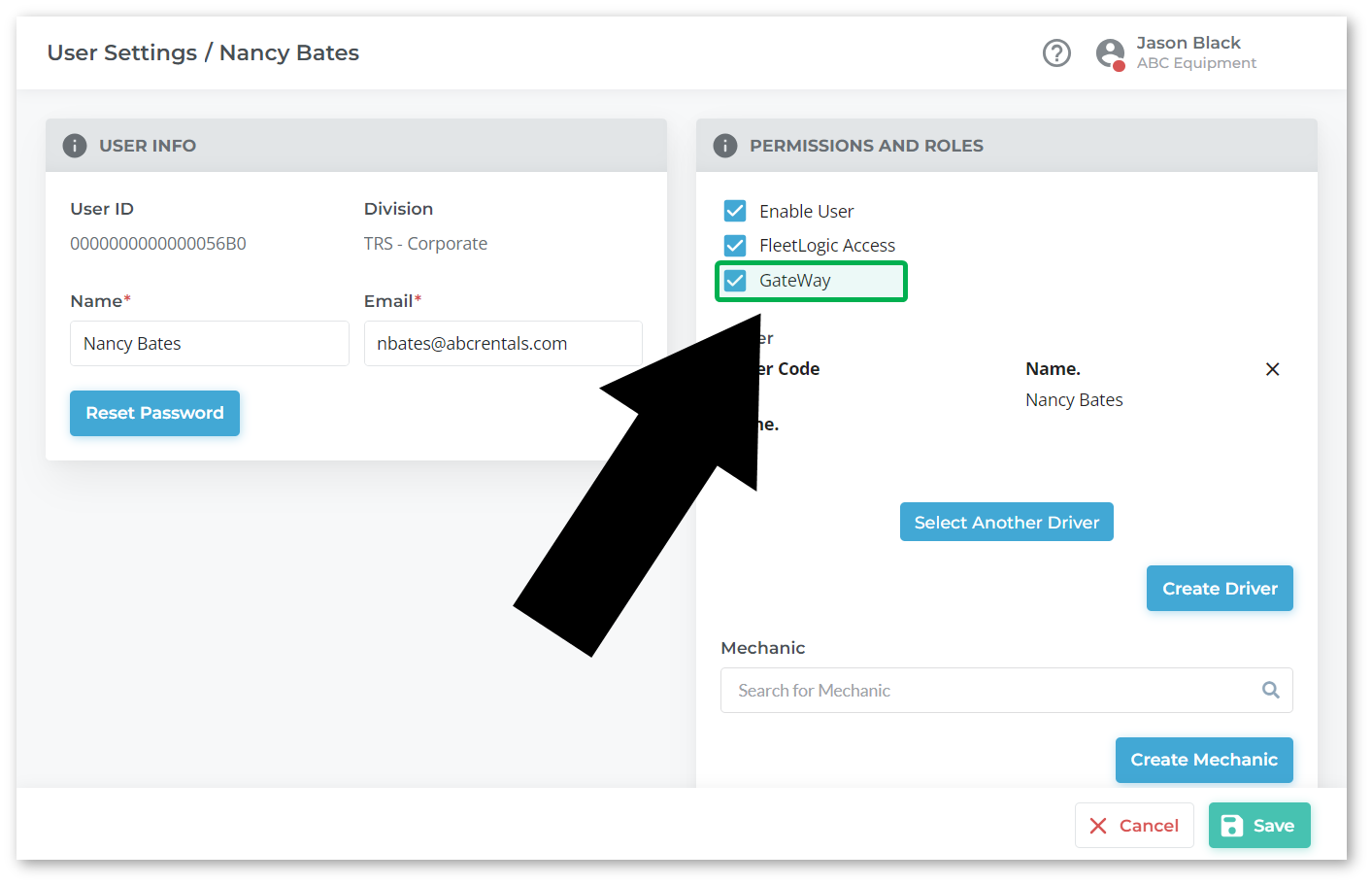
- Check the “GateWay” checkbox under “Permissions and Roles”, then click “Save” to save your changes.