.png?width=365&height=50&name=Texada%20Logo%20(Black).png)
In This Article
- Introduction
- ID Traveler Card
- Production Hours Variance
- Production Schedule
- Production Schedule Summary
- Production - Stock Details
- Receiving Bill of Materials
Introduction
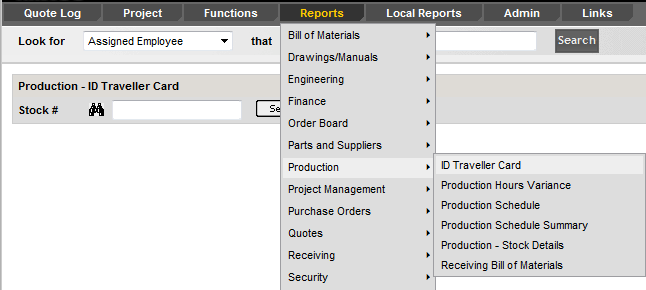
The Production menu provides reports that help track production schedules, hours and variances, stock details, and material receipt throughout the manufacturing process.
ID Traveler Card
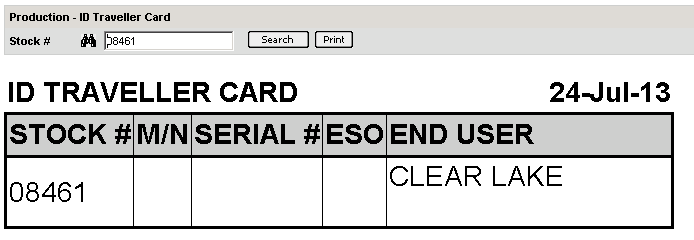
This report generates a label that the shop uses for skids. Simply search for a stock number and print.
Production Hours Variance
This report lists and prints the Original Budget, PCRs, Current Budget, Work Orders and the Variance for each stock number.

Production Schedule
This report lists Delivery Dates, Model, Serial #, ESO, RTS, Project Names, End User, Project Manager, Sales, Rep, for each stock within a certain time frame.

Production Schedule Summary
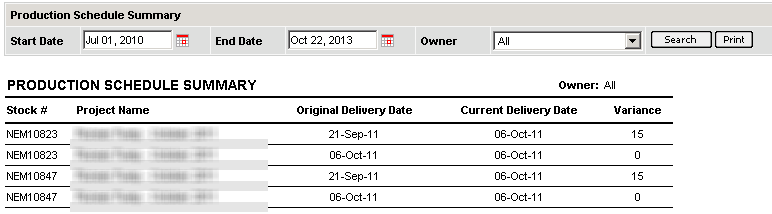
displays stock numbers where the current delivery date is within the dates specified, and shows the variance in days between the original delivery date entered and the current delivery date.
Production – Stock Details
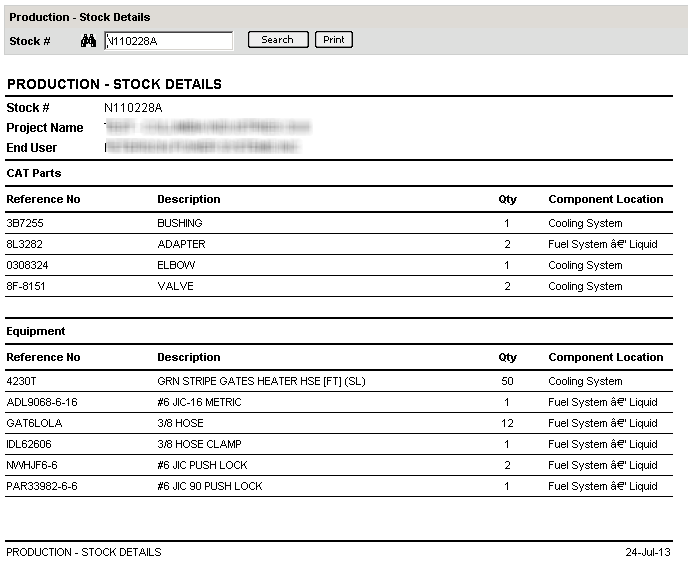
lists CAT Parts, Equipment, and Deficiencies for a stock number.
Receiving Bill of Materials
This report lets you keep track of what items have been received on a project. It lists a stock number’s BOM including the PO #, when it was last updated and the quantity ordered and received for each part.
