.png?width=365&height=50&name=Texada%20Logo%20(Black).png)
In This Article
- Introduction
- Expediting
- Purchase Orders By Date Opened
- Purchase Orders By Status
- Purchase Orders By Date Received
Introduction
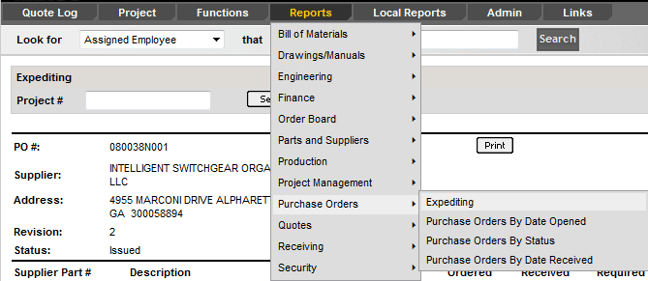
The Purchase Orders menu provides reports for tracking purchase orders by status, date opened or received, and items requiring expediting.
Expediting
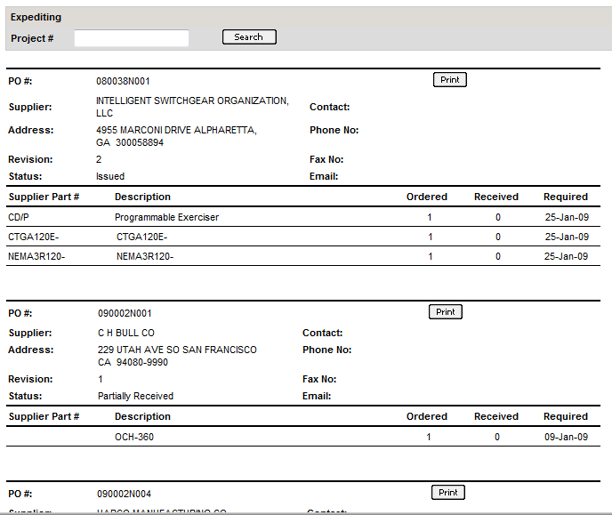
This report lists items that need to be rushed. Search by Project #. You can print a PO or PDF from here. You can also find the expediting tab under the CAT Parts and Equipment classes on a stock number.
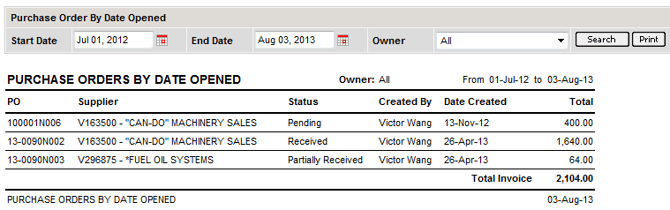
Purchase Orders By Date Opened
This report allows you to search by Date Range and Owner fields.
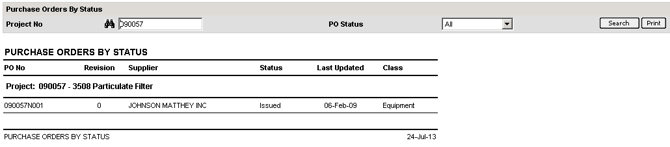
Purchase Orders By Status
This report creates a printable list of POs based on PO Status and Project Number.
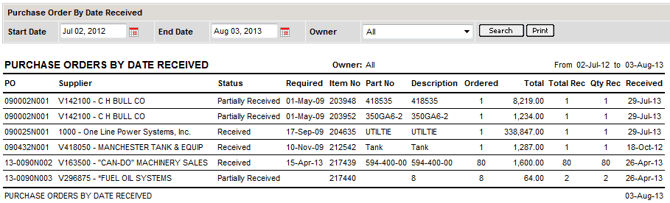
Purchase Orders By Date Received
This report allows you to search by Date Range and Owner fields.