.png?width=365&height=50&name=Texada%20Logo%20(Black).png)
In This Article
- Introduction
- Summary
- PCR
- BOM
- PO
- Shipping
- Global PO
- Global Receiving
- Global Invoice
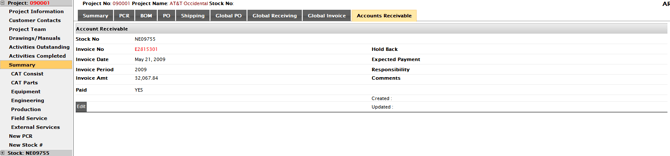
- Accounts Receivable
Introduction
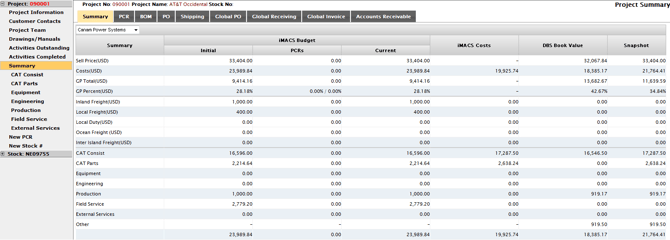
The Summary screen gives you a quick, high-level view of a project’s financial health and activity—bringing together budget and cost snapshots alongside linked PCRs, BOMs, purchase orders, shipping, and global purchasing/receiving tools in one place.
Summary
The Summary tab provides an overview of the project budget, iMACS costs and DBS costs (book value (filtered by iMACS Company). The Snapshot column takes each line item and shows the ‘worst case scenario’. Dealers use this as a quick indicator to see if the project financials could potentially go awry.
PCR
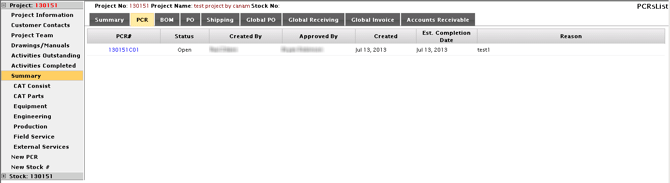
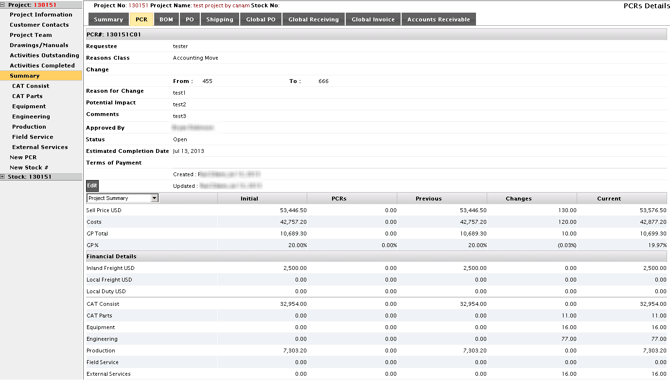
A listing and links to all PCRs (Project Change Request) applied to the project budget. Click on the blue PCR number to view details.
BOM
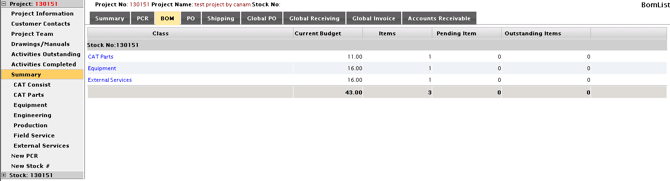
Summary listing of all project BOMs. Clicking on the blue iMACS class link below the stock number will take you to the corresponding page for that stock number.
PO
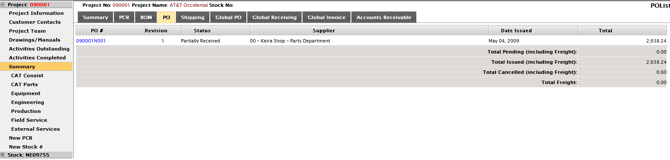
Summary list of all project POs. Click on the PO # link to view details.
Shipping
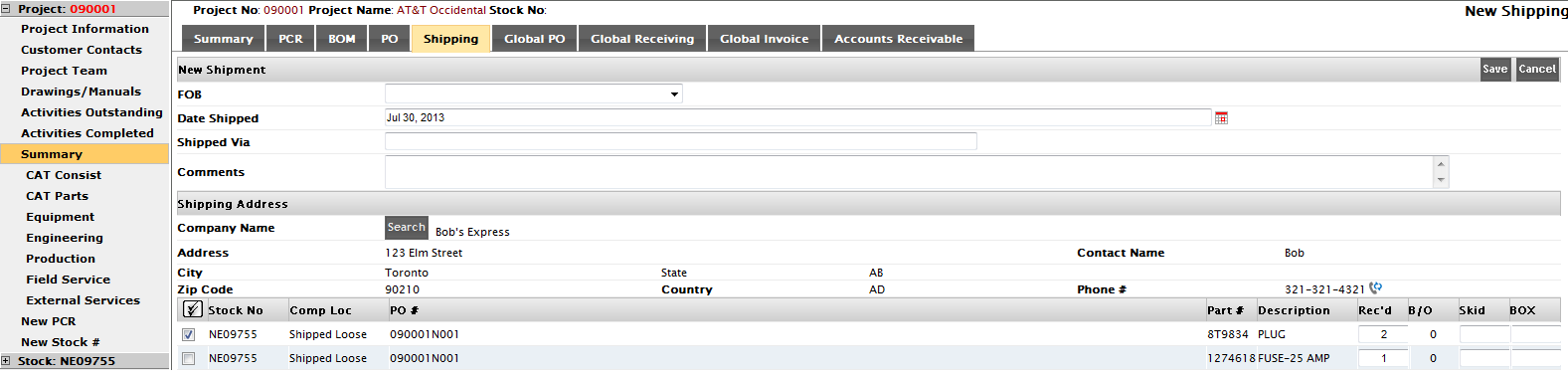
Track shipments and print Shipper (doc), Terms, Internal and Customer BOM lists.
Global PO
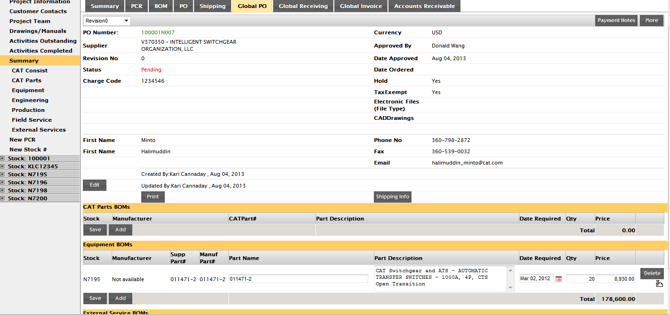
Create and print a ‘global’ PO for a single supplier that includes parts from all stock numbers and all classes (Cat Parts, Equipment & External Services). Add shipping information and payment notes.
Global Receiving
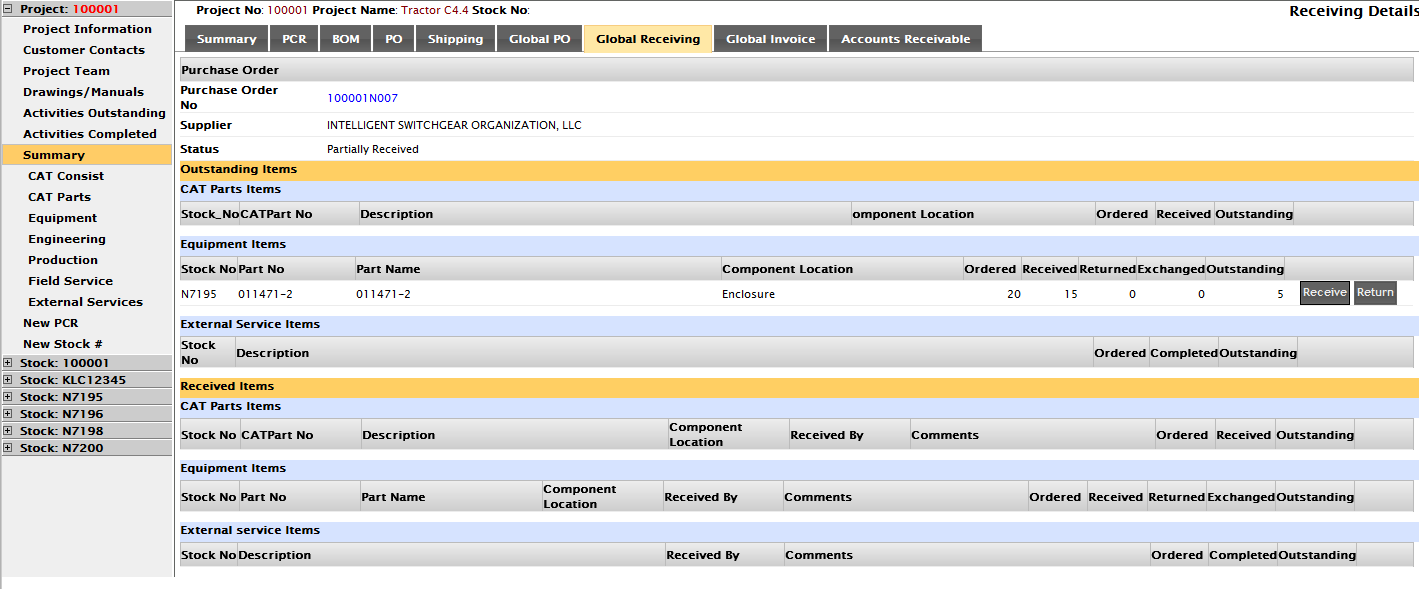
Provides visibility to all project POs – including date issued and status. Purchase order details are available by clicking on the PO # link, where you can receive and even return BOM items listed on the PO.
Global Invoice
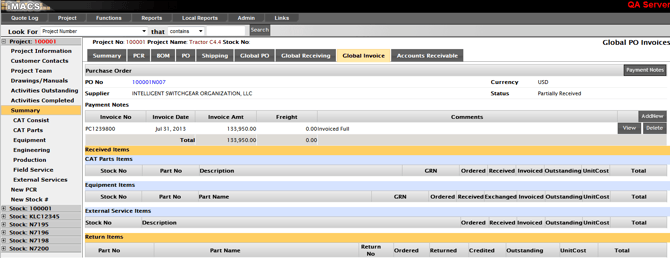
View and update all project POs with Payment Notes and invoicing information.
Accounts Receivable