.png?width=365&height=50&name=Texada%20Logo%20(Black).png)
Your voice matters!
This feature was put into production as a result of its popularity in the CloudLink Ideas Portal!
The Ideas Portal allows Texada customers to submit and vote on possible product improvements. Join the community today and help shape the future of Texada's products!

The Add Batch Leads function in Equipment CRM (SalesLink - Executive) has been updated with new fields and additional functionality, making it easier than ever to create leads in bulk!
To access this feature, log in to SalesLink - Executive and navigate to Pipeline → Campaigns. Select the campaign you’d like to edit, then select “Add Batch Leads”.
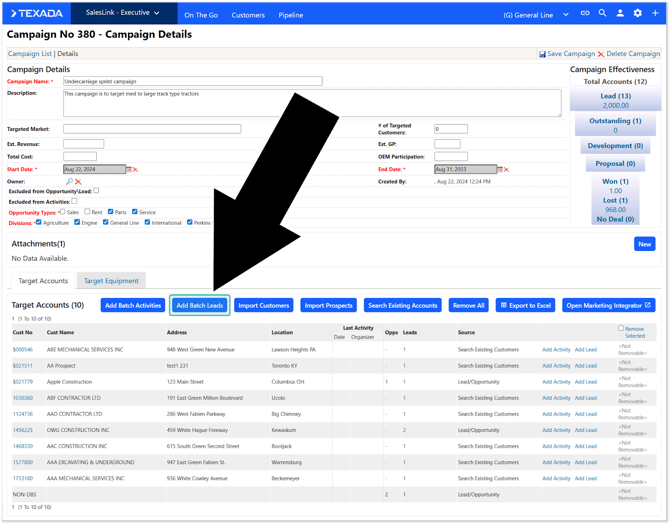
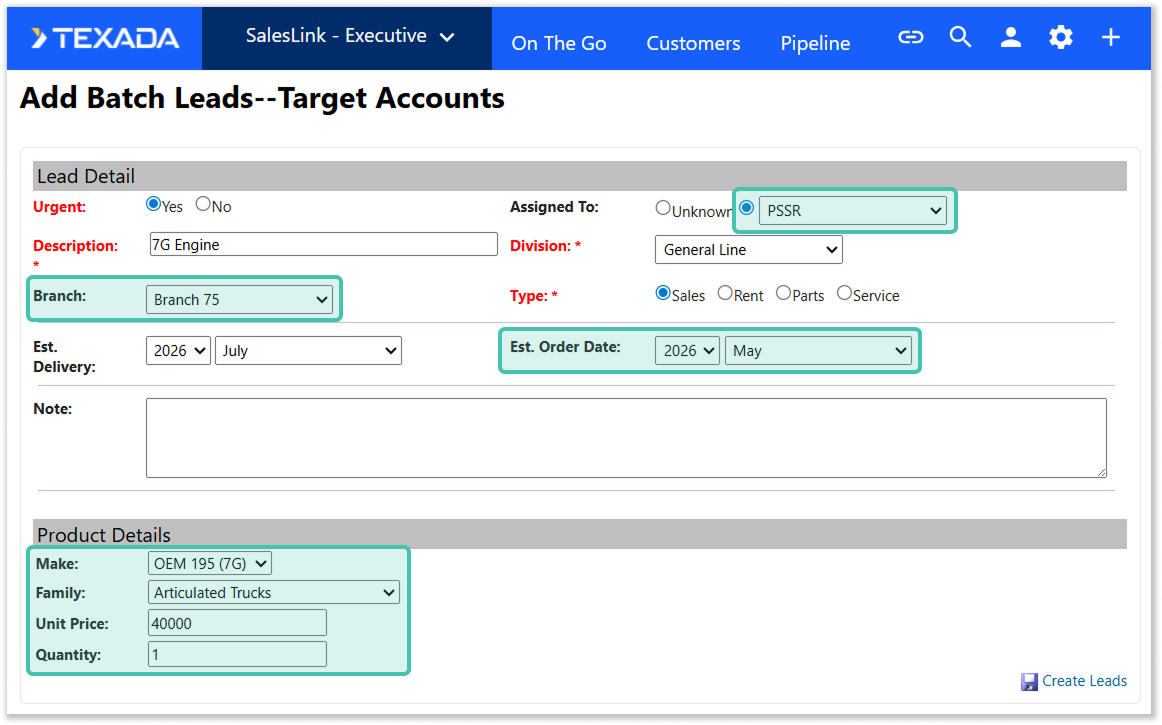
- The following fields have been added to this screen:
- Branch
- Estimated Order Date
- The Assigned To dropdown has been updated to include all rep types available in the selected division (MSR, PSSR, etc.) If the selected rep type is not available for the customer/prospect, the lead will be created as unassigned.
- A new Product Details section has been added. The fields available in this section will vary based on the Type you have selected:
- Sales: Make, Family, Unit Price, Quantity
- Rent: Make, Family, Unit Price, Quantity
- Parts: Make, Commodity, Estimated Revenue
- Service: Make, Category, Estimated Revenue
- When creating a lead with Make = Caterpillar and PSE Type Mapping enabled, the PSE Type will be automatically populated based on the mapping.
Once you’ve entered the desired information, click “Create Leads” to automatically create a lead for each of the target accounts in the campaign.
The enhancement will enable you to better run your campaigns with more complete data to help you get a more accurate view of your sales funnel!