
Introduction
Planning ahead just got a whole lot easier. Reservations in Rental Management (Next) give your team a smarter way to secure equipment for future rentals, estimate costs early, and smoothly transition from customer interest to a confirmed Contract—all while maintaining visibility and control across the entire process.
With Reservations, you can hold equipment at the Group level, collaborate across counter and yard teams, and confidently commit inventory before a rental goes out the door. Whether you’re booking months in advance or managing multiple upcoming rentals at once, Reservations help you stay organized, reduce last-minute surprises, and deliver a better customer experience.
Read on for a high-level look at what Reservations can do, then dive into the linked articles to learn how to use each part of the workflow.
Capture Demand Before the Contract Is Final
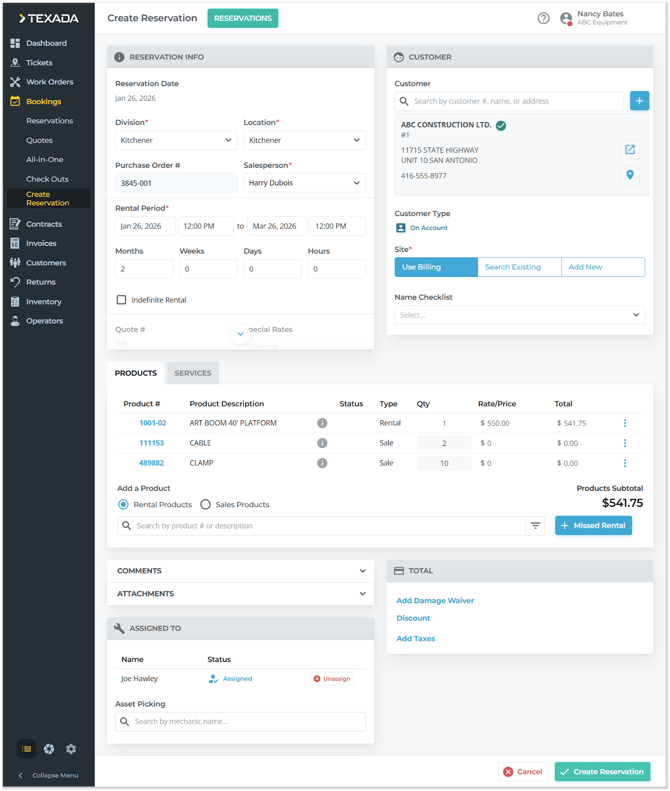
Reservations act as a pre-Contract document, allowing your team to estimate rental costs and reserve equipment before the customer is ready to commit.
Using Rental Management (Next), you can quickly create a Reservation with key details like rental dates, customer information, and requested equipment—without needing to assign specific assets upfront. This makes Reservations ideal for long-lead rentals, tentative bookings, or situations where availability may change over time.
Learn More:
Stay Organized with the Reservations List
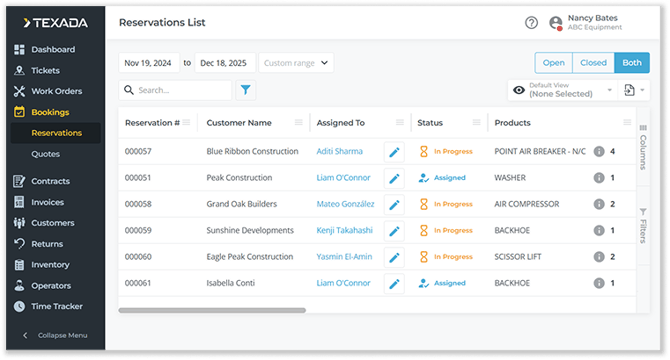
Once created, Reservations are easy to track and manage from a centralized Reservations List. From here, your team can search, filter, and review all upcoming Reservations at a glance, keeping everyone aligned on what’s coming up next.
The Reservations List also serves as the operational hub for the feature, allowing you to:
- Monitor Reservation status as work progresses
- Assign Reservations to yard staff for asset staging
- Convert Reservations into Contracts when they’re ready
Learn More:
Collaborate Across Counter and Yard Teams
Reservations aren’t just about planning—they’re about execution.
By assigning a Reservation to a yard worker, your team can begin asset staging, selecting and inspecting the specific equipment that will ultimately go out on rent. This ensures the right assets are ready, in good condition, and aligned with the original Reservation before the Contract is created.
Asset staging bridges the gap between high-level planning and real-world fulfillment, helping you catch issues early and keep rentals running smoothly.
Learn More:
Update Details as Plans Change
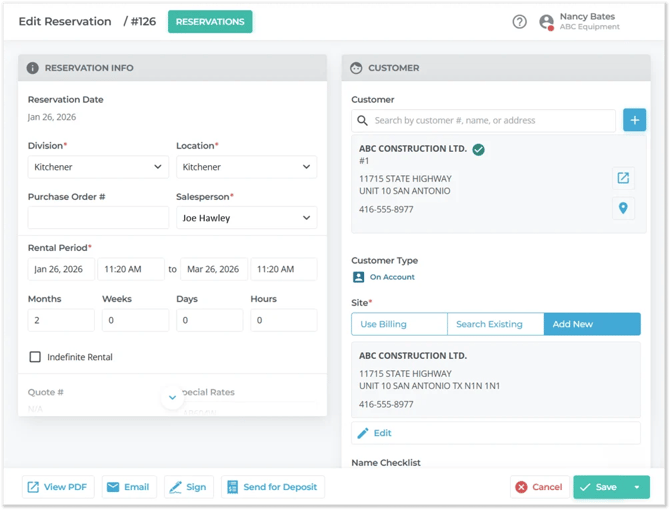
Plans change—and Reservations are built to handle it.
You can easily view and edit existing Reservations in Rental Management (Next), making updates to eligible fields as customer needs evolve. This flexibility allows your team to keep Reservations accurate and up to date without starting from scratch.
Learn More:
Convert Reservations into Contracts with Confidence
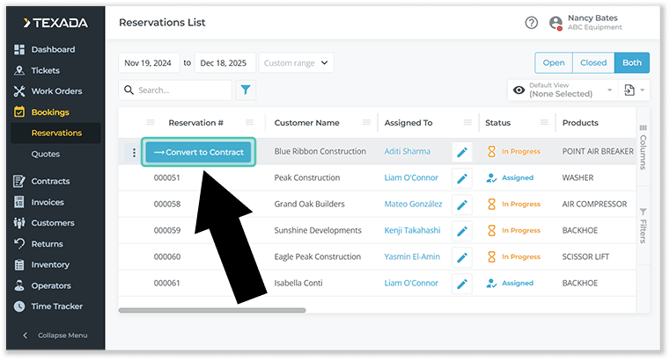
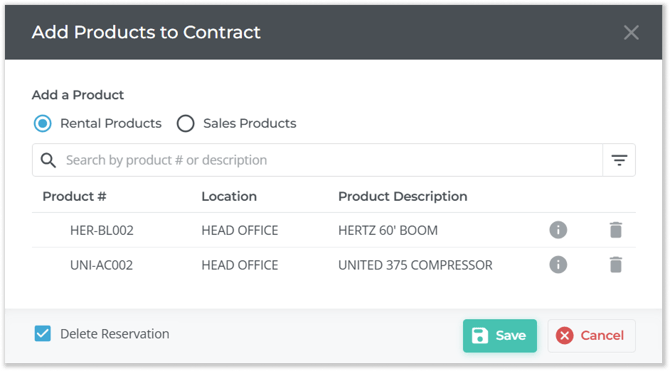
When the customer gives the green light, converting a Reservation into a Contract is fast and seamless.
During conversion, you’ll select the specific products that will fulfill the Reservation, finalizing asset assignments and locking in the rental. This step ensures that what was planned at the Group level is accurately reflected in the Contract that goes out the door.
You can even choose whether to keep or remove the original Reservation after conversion, depending on how your team prefers to manage records.
Learn More:
A Smarter Way to Plan Rentals
Reservations in Rental Management (Next) bring structure, visibility, and confidence to your rental planning process. By separating early demand from final fulfillment—and connecting counter staff, yard teams, and contracts in a single workflow—Reservations help your business stay proactive, organized, and customer-focused.
Ready to dive deeper? Explore the linked articles above to learn how to use each part of the Reservation workflow in detail.