.png?width=365&height=50&name=Texada%20Logo%20(Black).png)
Introduction
In Condition Monitoring Portal (CMP), alerts can be cleared or reviewed in bulk. To do this, follow the steps below.
- Log in to CMP. Click the hamburger icon
 to the right of the “Condition Monitoring” tab, then select “Summary” for any alert type (SOS, Electronic Data, Service Letters, or Inspections).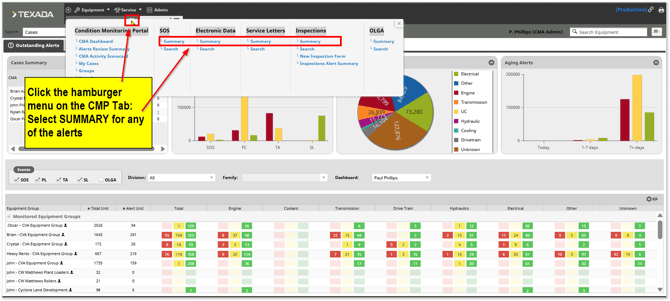
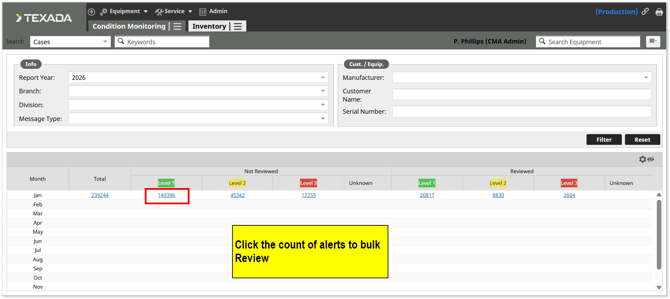
- Click the count of alerts in the NOT REVIEWED section.
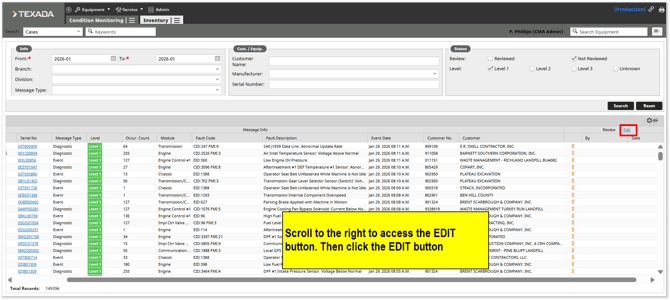
- Click the “Edit” button on the right side of the screen. Depending on your display, it may be necessary to scroll to the right to see this button.
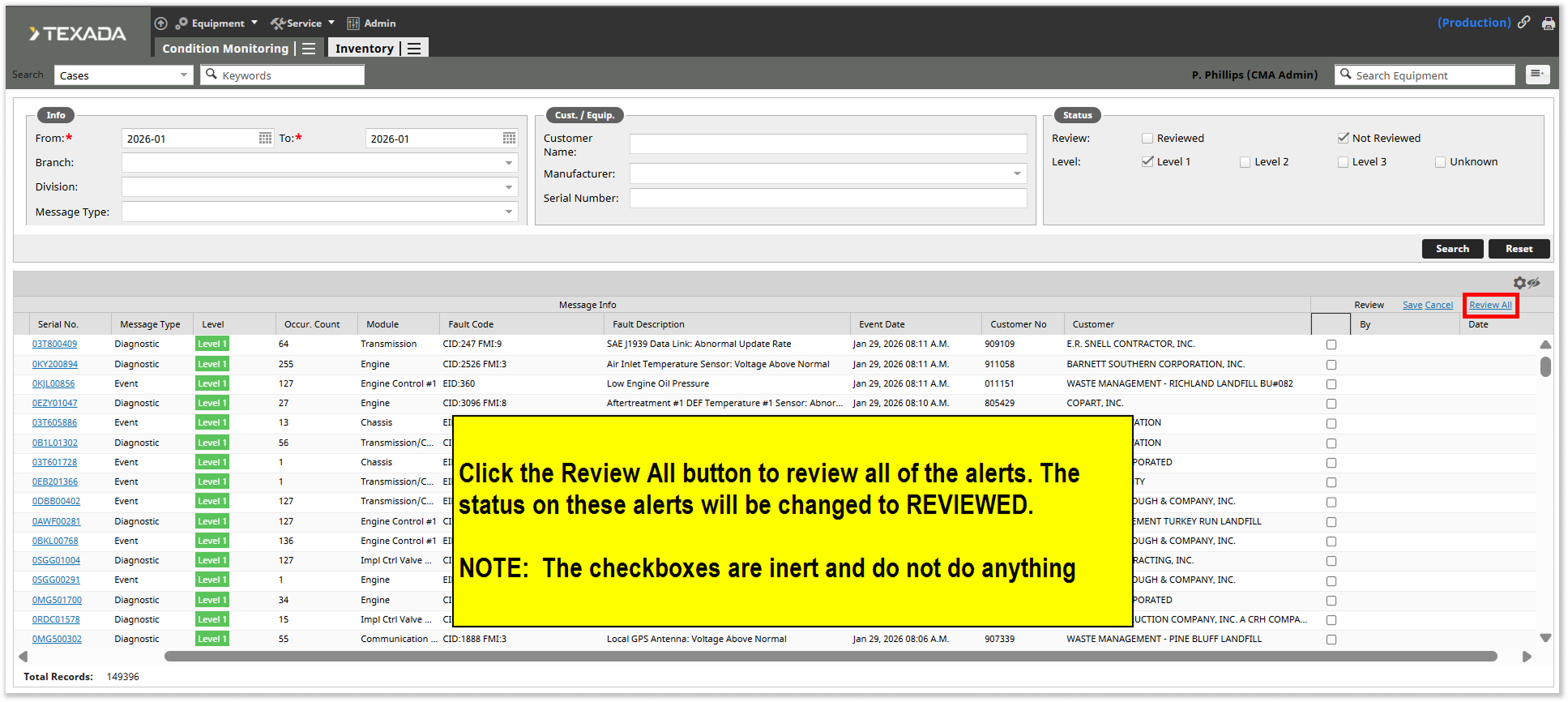
- Click the “Review All” button on the right side of the screen. This will set the status on all displayed alerts to “Reviewed”.