
This feature is available to all Parts & Service Quoting users. It does not require any configuration to enable.
Introduction
A new “Revision Description” field has been added to Quote Revisions in Parts & Service Quoting! This update allows you to enter a brief descriptive name for each Revision, giving each Revision an identity and making it easier to tell Revisions apart at-a-glance.
Revision Description
The Revision Description field can be found at the top of the Revision Summary tab:
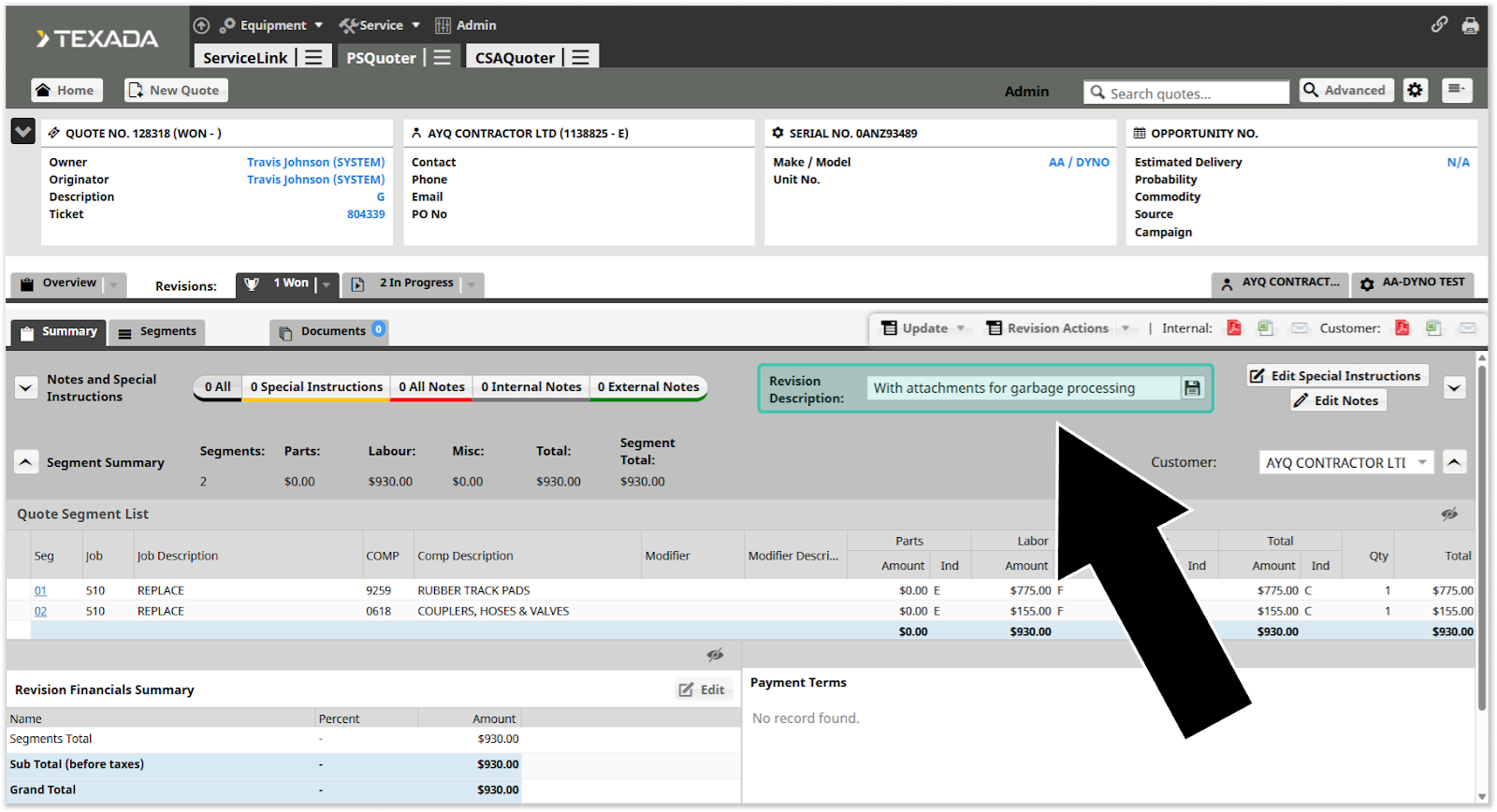
Enter a brief description into this field and click the save icon  to give a Revision a description. Revision Descriptions can be up to 50 characters long. Adding or updating Revision Descriptions requires the Quote.Revision.Edit permission.
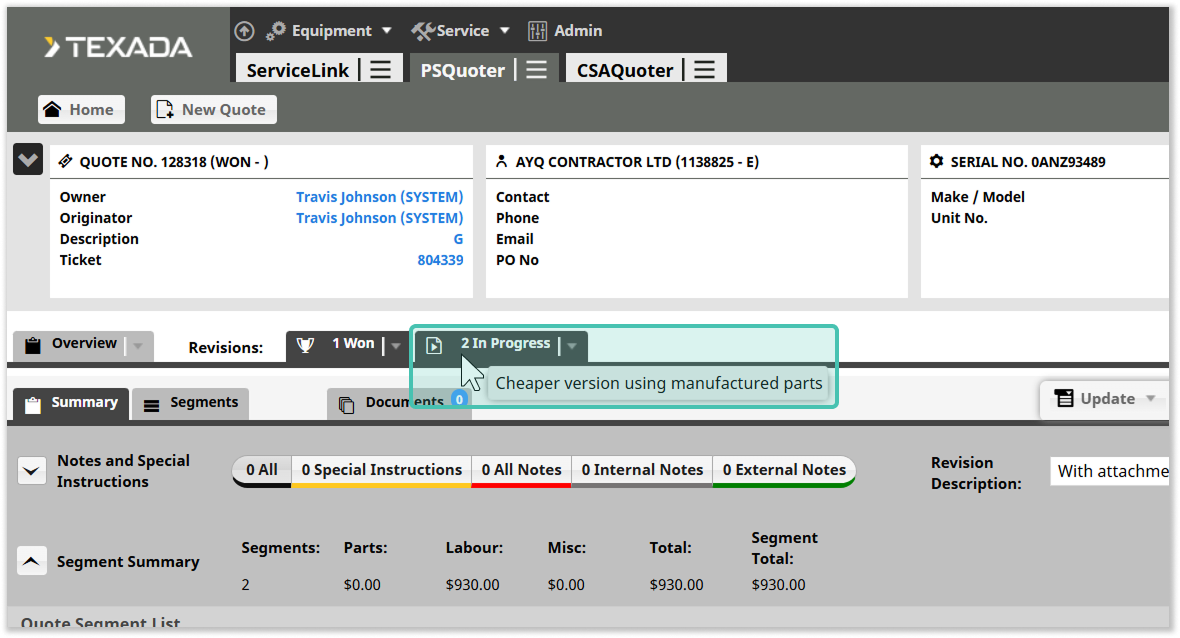
To quickly see a Revision’s Description without switching to it, simply hover your mouse over the Revision’s tab on the Quote summary screen:
With this simple but powerful feature, you can quickly remind yourself and other Parts & Service Quoting users of the differences between Revisions, and the reasons why each Revision was created!