
Introduction
These notes address new features and code fixes for version 2026.0226 of Service, Rental and Financials.
Quick Navigation
- Release Highlights
- Service, Rental and Financials (Next) (formerly Texada Web)
- Service and Rental Mobile (formerly Texada Mobile)
Release Highlights
Service, Rental, and Financials - Enhanced Credit Check Functionality
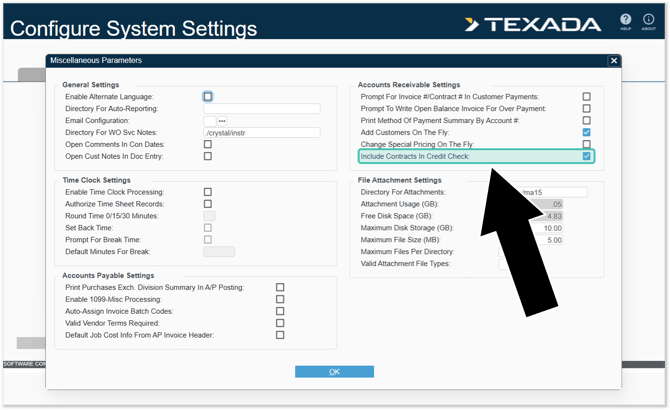
Credit check functionality in Service, Rental, and Financials has been enhanced to provide a more comprehensive, real-time evaluation of customer credit exposure across the sales and billing lifecycle.
Previously, credit checks focused primarily on invoice balances and were typically triggered at limited points in the workflow. With this enhancement, the system now evaluates a customer’s total exposure – including open Contract amounts, services, damage waiver, and taxes – before allowing certain transactions to proceed.


Service, Rental and Financials (Next) (formerly Texada Web)
|
Ticket # |
Description |
|
TR-6742 |
Resolved an issue in which damage codes assigned to a Product when completing a Check-In in Service & Rental Mobile would occasionally fail to appear when processing the Return in Rental Management (Next), resulting in a "Damage code not provided" error. |
Service & Rental Mobile (formerly Texada Mobile)
|
Ticket # |
Platform |
Description |
|
TM-3582 TM-3581 |
Android iOS |
Attempting to complete a Work Order containing Inspection photo fields for which the photo has not fully uploaded will now cause a “Photo Upload Incomplete” warning message to appear. When this message appears, the user will be able to select whether to complete the Work Order anyway, or cancel and allow the photos to finish uploading. |