In This Article
Introduction
The following article details how to create new customer, satellite, and prospect Accounts in Field Sales Tracker for web and mobile.
Create an Account (Web)
- Log in to Field Sales Tracker and select Accounts from the left navigation menu. Click the plus icon
 in the top-right corner of the screen, then select Create account.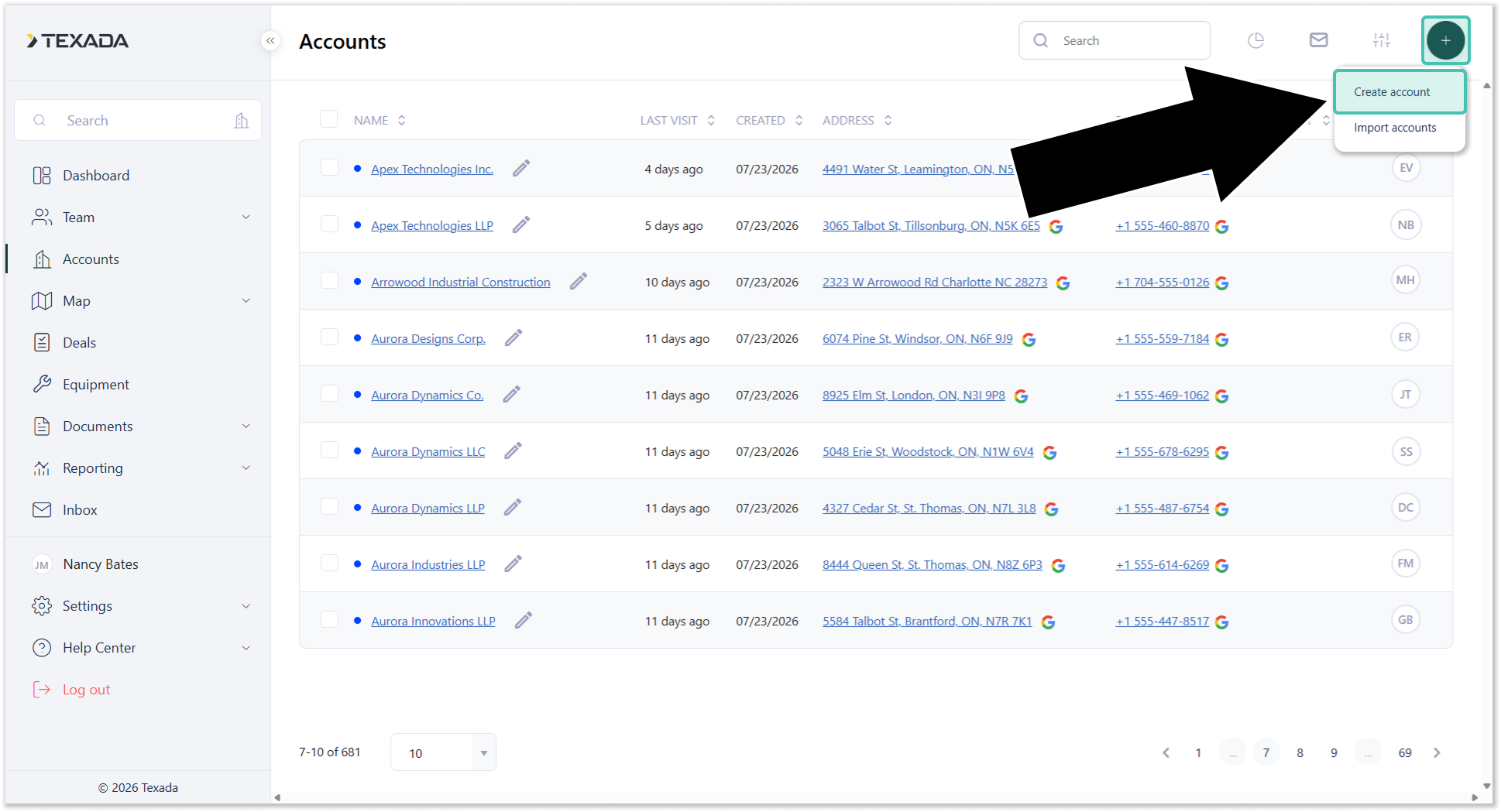
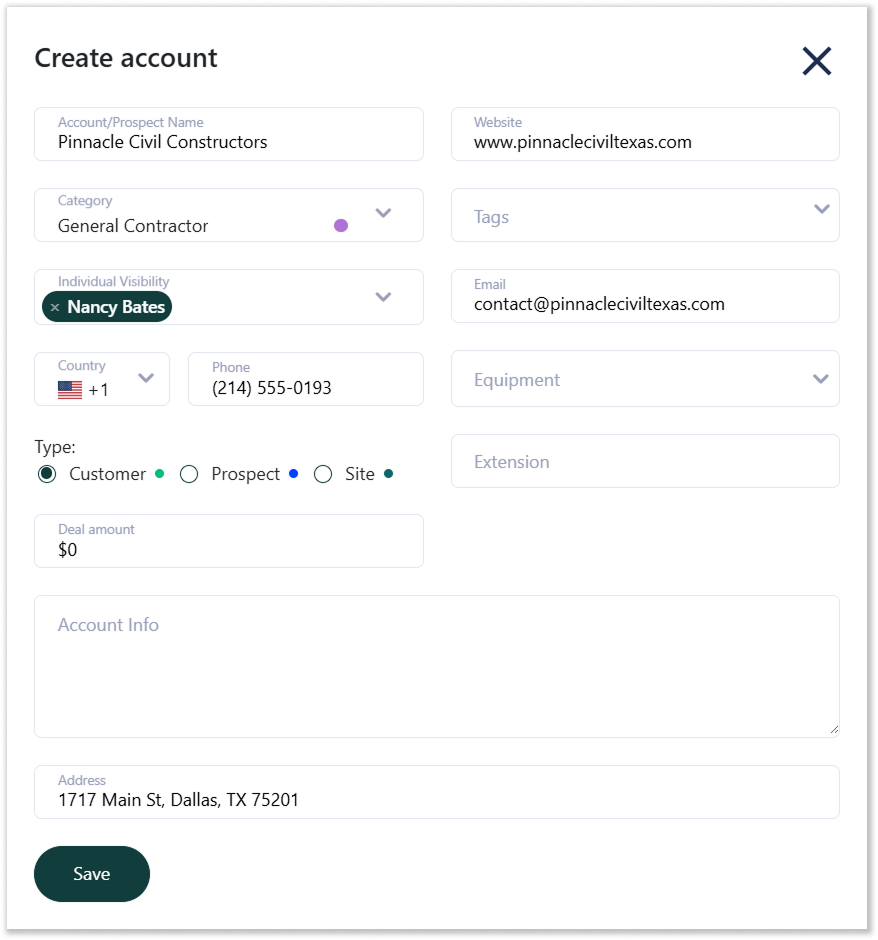
- Fill out the information for the new Account, then click Save.
Create an Account (Mobile)
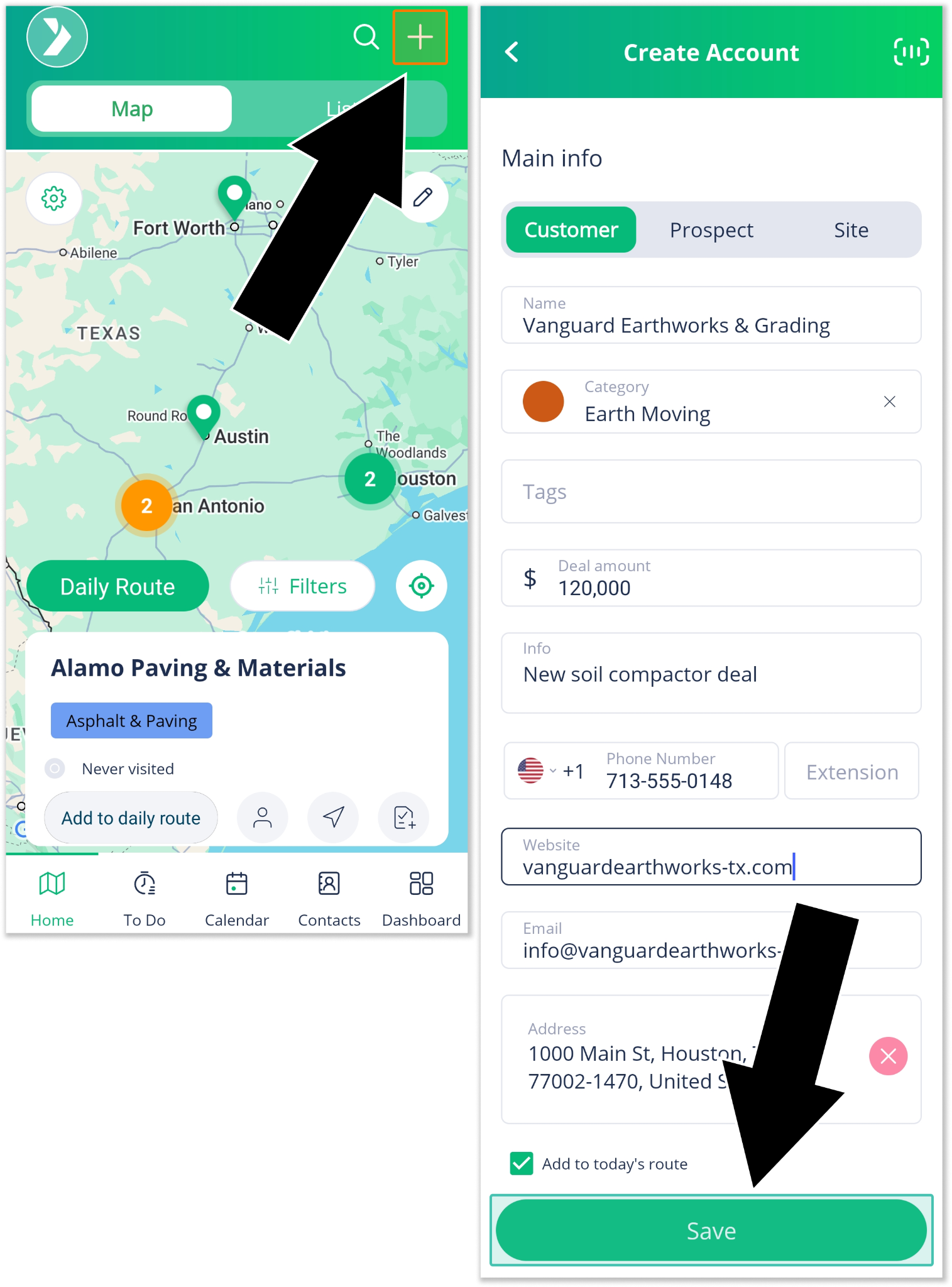
- Open the Field Sales Tracker mobile application (left) and tap plus icon
 in the top-right corner of the screen.
On the Create Account screen (right), fill out the information for the new Account, then tap Save. You can also tap the scan icon in the top-right corner of the screen to scan a business card and automatically fill out the included information.