
In This Article
Introduction
The Help and Feedback feature in Service, Rental, and Financials (Next) gives you a number of options for accessing help resources and contacting Texada staff for support or feedback.
To reach the Help and Feedback tool, click on the question bubble  in the top-right corner of the screen from any page in Service, Rental, and Financials (Next).
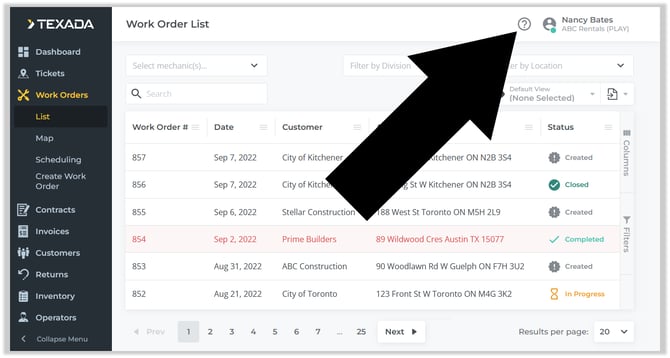
Help and Feedback
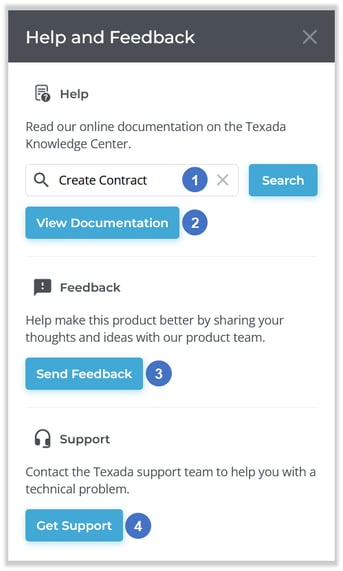
- Search Texada Knowledge Center
Enter text into the search bar, then click the “Search” button to search the Texada Knowledge Center for the terms entered. This will open the Texada Knowledge Center in a new browser tab and will not interfere with your Service, Rental, and Financials (Next) session. - View Documentation Button
Click to view help articles for Service, Rental, and Financials (Next) at the Texada Knowledge Center. - Send Feedback Button
Click to submit feedback via the Texada Ideas Portal. - Get Support Button
Click to open Texada Customer Support and view support options.