
In This Article
- Users
- Use Cases
- Service, Rental, and Financials (Classic), (Next), and Mobile
- Service & Rental Mobile
Introduction
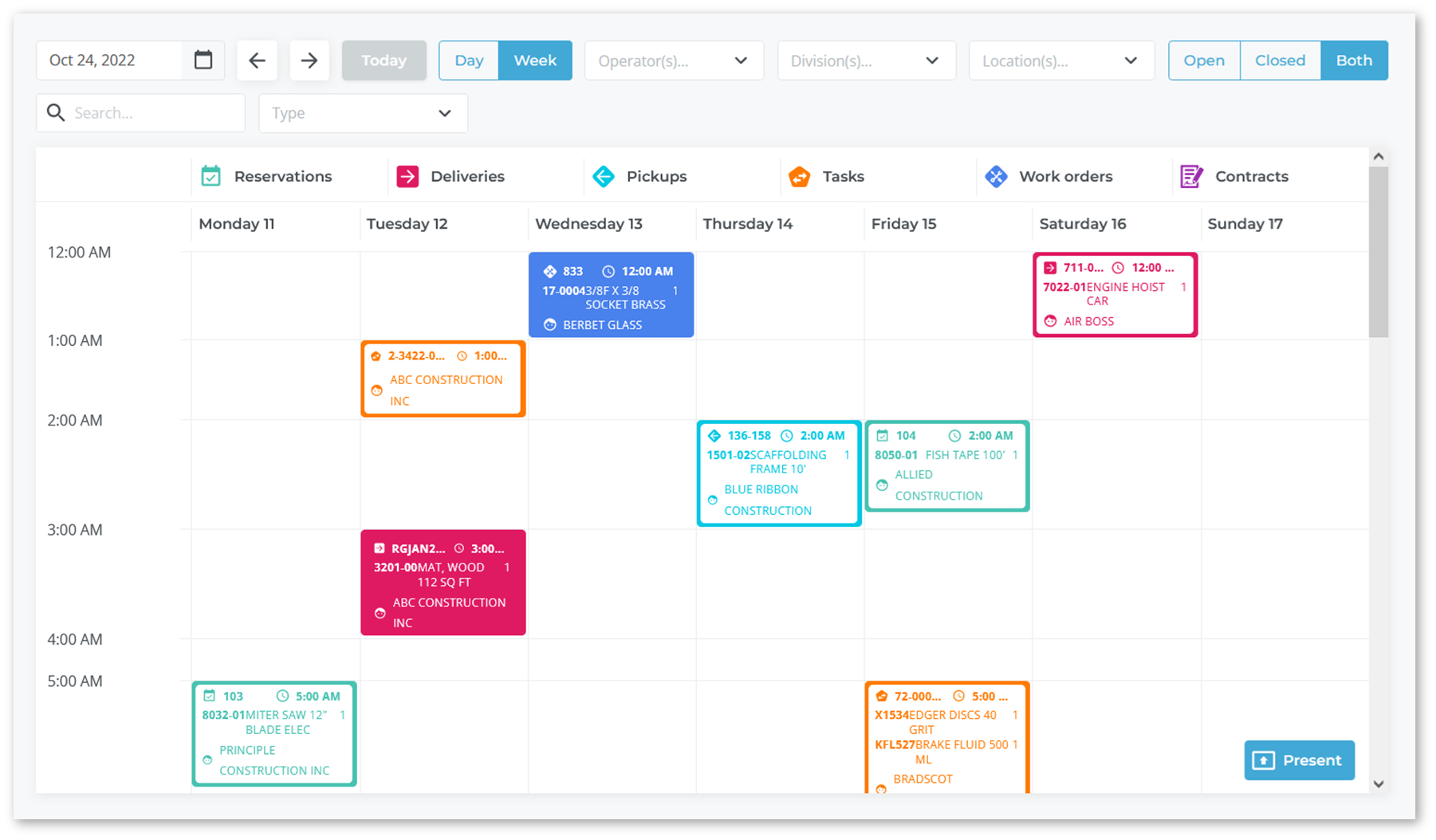
Service Management, Rental Management, and Financials (Next) is a web-based product and part of Texada’s Equipment Growth Platform. It focuses on the logistics of transporting rental equipment and processing Work Orders related to the service and maintenance of that equipment.
Users
The main users of this application are:
- Counter or other order desk workers
- Drivers
- Mechanics or technicians
- Logistics Managers
- Service Managers
Use Cases
These products enable users to participate in a seamless workflow from the start of a contract all the way to final customer billing. Examples include:
Tickets
- Your customer orders a 185-foot boom, either through your sales team or via the E-Commerce application.
- The customer does not have a vehicle that is large enough to deliver the boom and needs you to deliver it to their worksite.
- Your Rental Management (Classic) user converts the request to a Contract and generates a Delivery Ticket.
- In Rental Management (Next), your counter worker sees the Ticket and assigns it to a Driver.
- The Driver delivers the boom to the customer’s worksite and unloads it, using Service & Rental Mobile to take pictures of the boom to verify its drop-off condition.
- The Driver has the customer sign for the delivery using Service & Rental Mobile.
- The Driver uses Service & Rental Mobile to notify the counter worker that the delivery is complete.
Work Orders
- A week into the rental contract, the boom develops an issue and the customer requests service on your equipment.
- The counter worker receives the request and creates a Work Order in Service Management (Next).
- The counter worker assigns the Work Order to a Technician, who is automatically notified in Service & Rental Mobile.
- The Technician travels to the customer’s worksite and completes the Work Order, completes an Inspection, takes pictures of the equipment, and signs off on the request – all within Service & Rental Mobile.
Billing
- The data from the Contract and Work Order is stored in Service, Rental, and Financials (Classic).
- An Invoice for the Work Order is immediately created in Service Management (Next), sent to Service, Rental, and Financials (Classic), and is then posted to the customer’s account when cycle billing is completed.
- Customers using the E-Commerce customer access portal can view these Invoices at any time.
In all of the above examples, users of Service, Rental, and Financials (Next) leverage its deep ties with other Texada solutions to unlock the application’s full potential.
At a high level, the combination of Service, Rental, and Financials (Classic), (Next), and Mobile creates a complete workflow from when a Ticket or Work Order is received to when it is closed and billed to the customer.
Service, Rental, and Financials (Classic), (Next), and Mobile
There are several benefits to using the three versions of Service, Rental, and Financials – (Classic), (Next), and Mobile – together:
- Saves time and effort: Enter information in one application and it appears in all three. For example, if you make an asset unavailable in Rental Management (Classic), it becomes unavailable in Rental Management (Next) and Service & Rental Mobile.
- Avoid duplication: Avoids duplicate information and decreases the likelihood of errors.
- Automation: Closing a Ticket in Service Management (Next) signals Service Management (Classic) to automatically bill your customers for you, for example.
Service & Rental Mobile
Service & Rental Mobile is the mobile companion application for Service, Rental, and Financials. Service & Rental Mobile works closely with Service, Rental, and Financials (Next) to form a complete workflow between your counter workers, drivers, and technicians in four main areas:
- Work Orders
- Asset management (Assets and Parts)
- Tickets
- Rental Returns
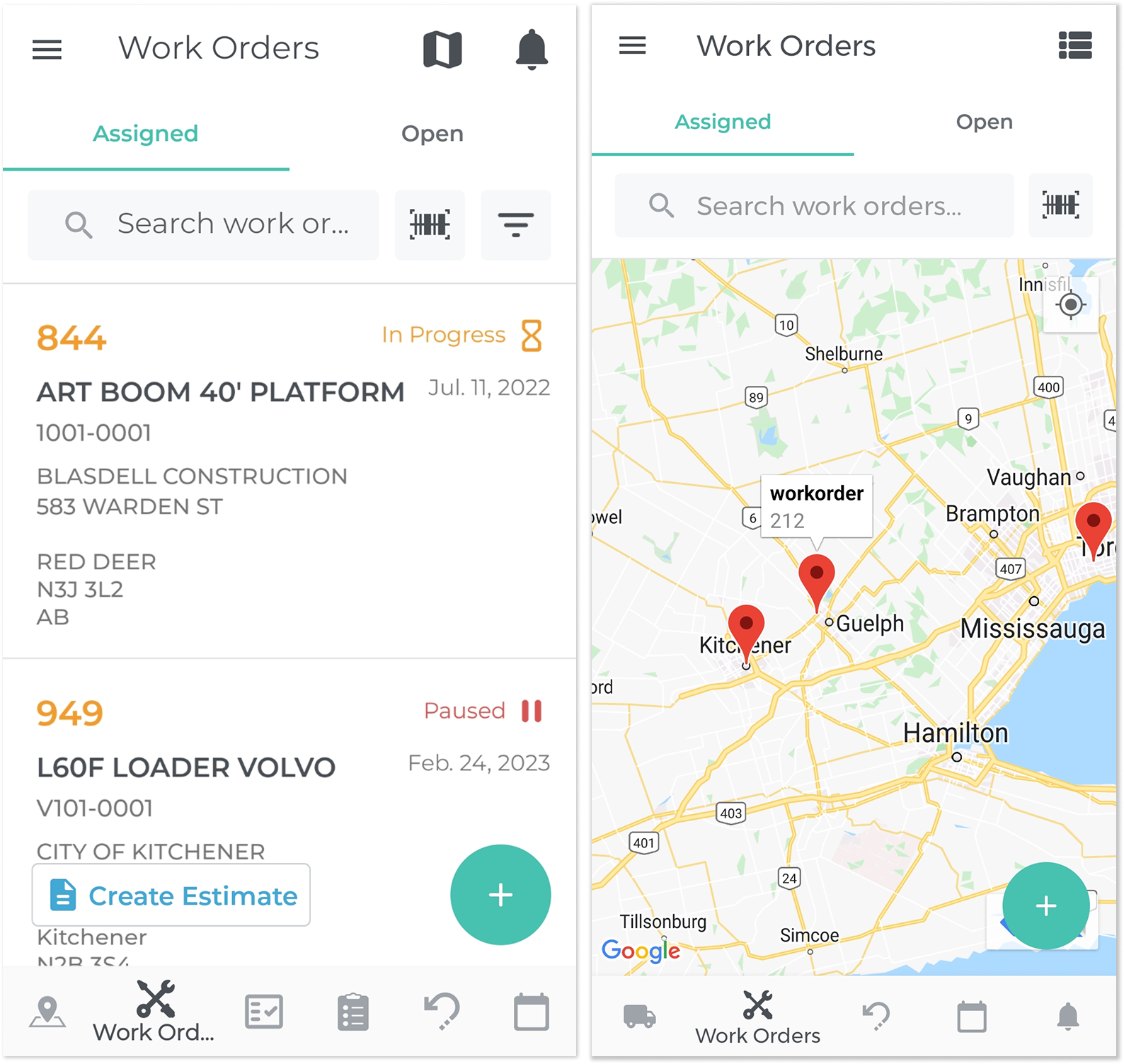
Service & Rental Mobile provides several business advantages:
- It handles aspects of Work Orders and Tickets that can or should only be handled in the field, such as Check-Ins and equipment Inspections.
- It enables field employees to access equipment and customer information in real-time, providing them with an always up-to-date source of information to help them with their work.
- It provides workers with the up-to-date information they need to perform their work duties efficiently, such as the next closest Work Order destination, or the availability of Parts.
- Counter workers are made aware of any issues that arise in real-time and can quickly respond to them.
- It is paperless, so field employees can fill out and submit paperwork while in the field, increasing their time spent on the work itself.