In This Article
Introduction
Analytics is a powerful report visualization and development tool powered by Microsoft Power BI. In addition to the standard reports offered with this tool, it is possible for users with Pro and Premium PowerBI licenses to create custom reports.
See “Analytics Write Access” for information on the requirements needed to create custom reports.
How to Create Custom Reports
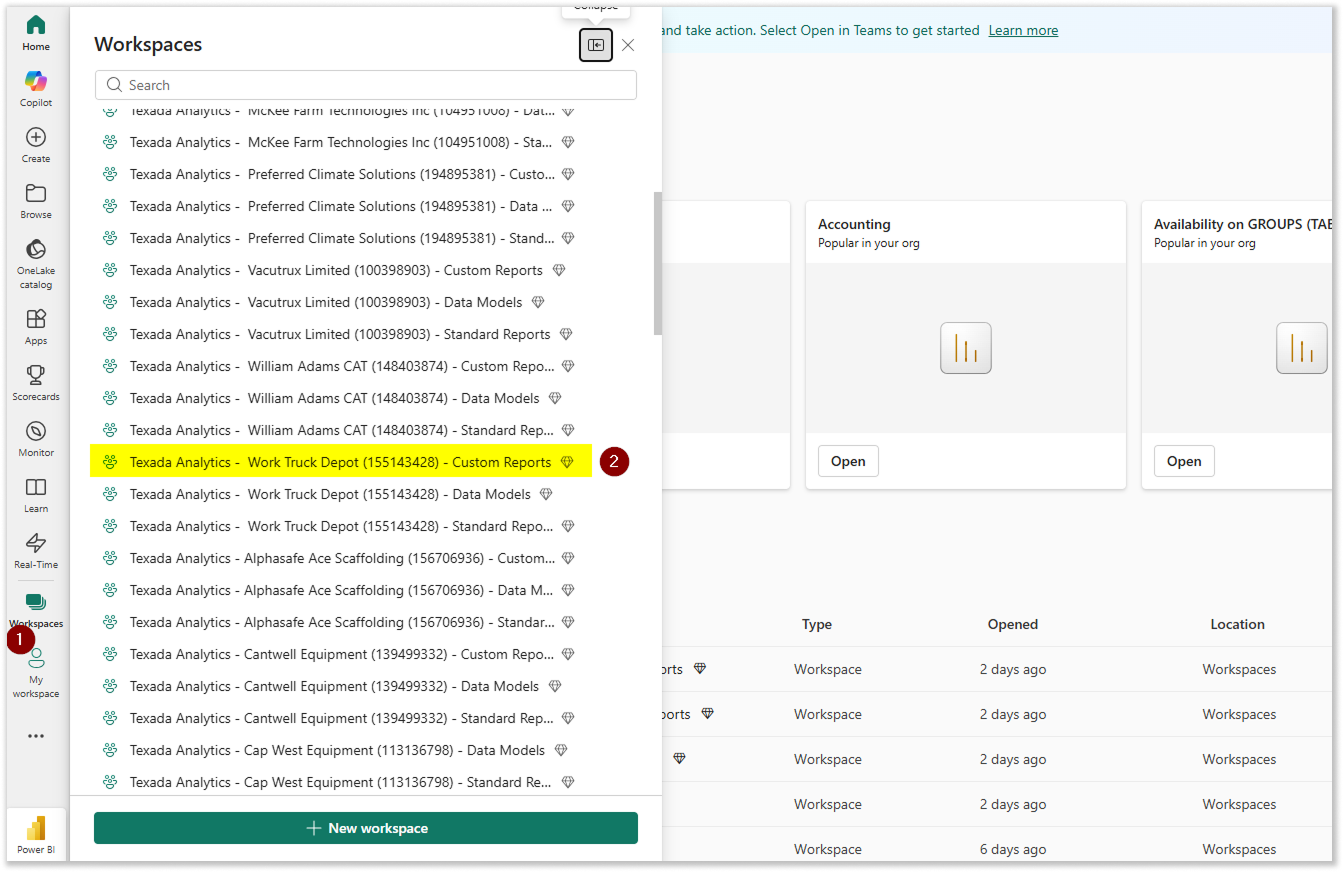
- Log in to PowerBI. Select “Workspaces” from the left navigation menu, then select the workspace to which you’d like to add a custom report.
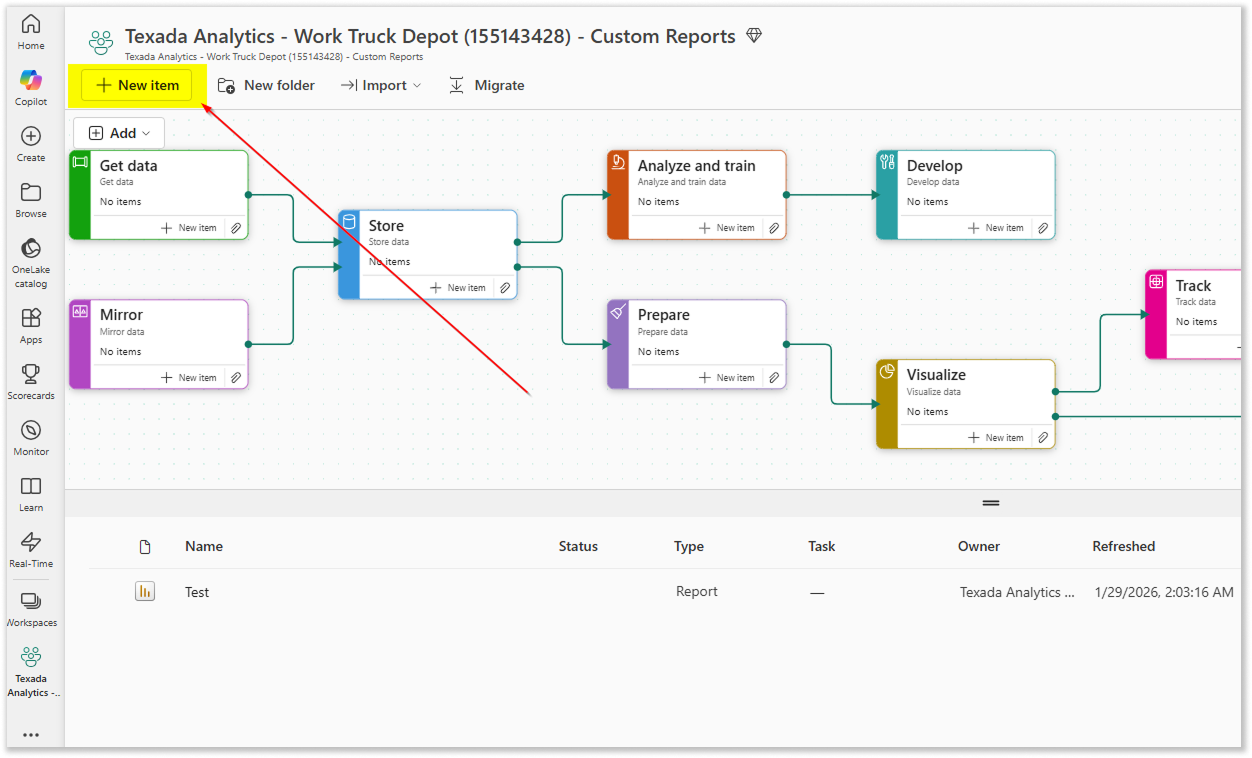
- Click the “Add Item” button in the top left corner of the screen.
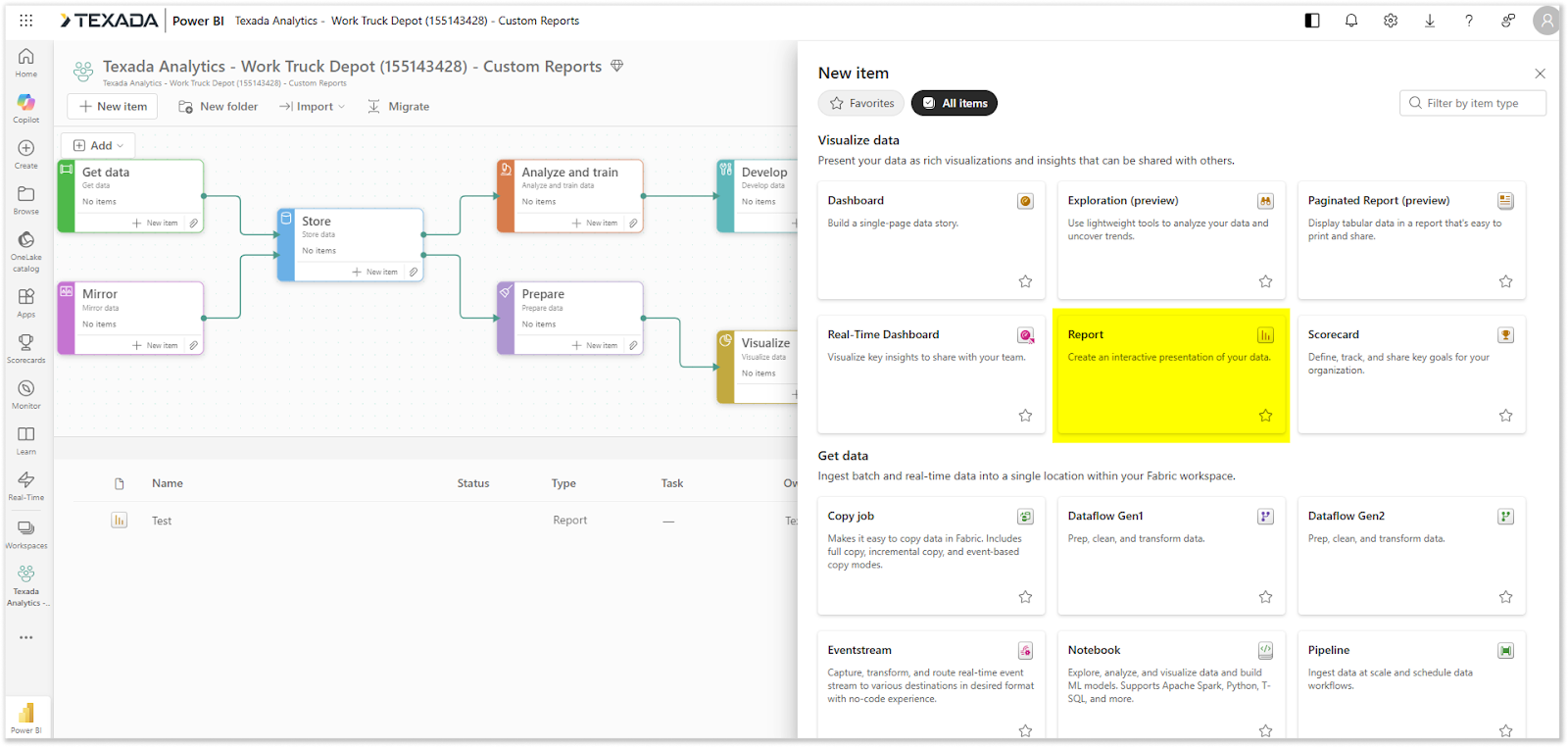
- Select “Report”. You will now be able to select a Semantic Model and create your report.