
In This Article
Introduction
When a rental Contract is complete and rented equipment is delivered or picked up from the Customer’s work site, it is time to perform a Return. This tells the system that rented items have been returned into Inventory and the Contract is ready for invoicing.
Specifically, completing a Return has 3 distinct effects in the system:
- Returned Products are marked as available in Inventory.
- An Invoice is generated for the completed rental.
- If all Products on a Contract were returned, the Contract will be closed.
There are 2 types of Return in Rental Management: Rental Returns and Check-Ins. The similarities and differences between these types is summarized in the following table:
|
Rental Returns |
Check-Ins |
|
For Returns where the returned Product(s) are brought to the counter. |
For Returns where the returned Product(s) are brought directly to the rental yard. |
|
Initiated and completed by a counter worker using Rental Management (Next). |
Initiated by a yard worker using Service and Rental Mobile and completed by a counter worker using Rental Management (Next). |
|
When completing a Rental Return, the return date and invoice date are set to the current date. The return date and invoice date will be the same unless changed. |
When creating a Check-In in Service and Rental Mobile, the return date is set to the current date. The invoice date is then set when the Return is finalized in Rental Management (Next). The return date and invoice date can be two different dates. |
|
Cannot be initiated in Service and Rental Mobile. |
Must be initiated in Service and Rental Mobile via the Check-In / Check-Out screen. |
|
Can be managed in Rental Management (Next) at Returns → Rental Returns. |
Can be managed in Rental Management (Next) at Returns → Check-Ins. |
Rental Returns
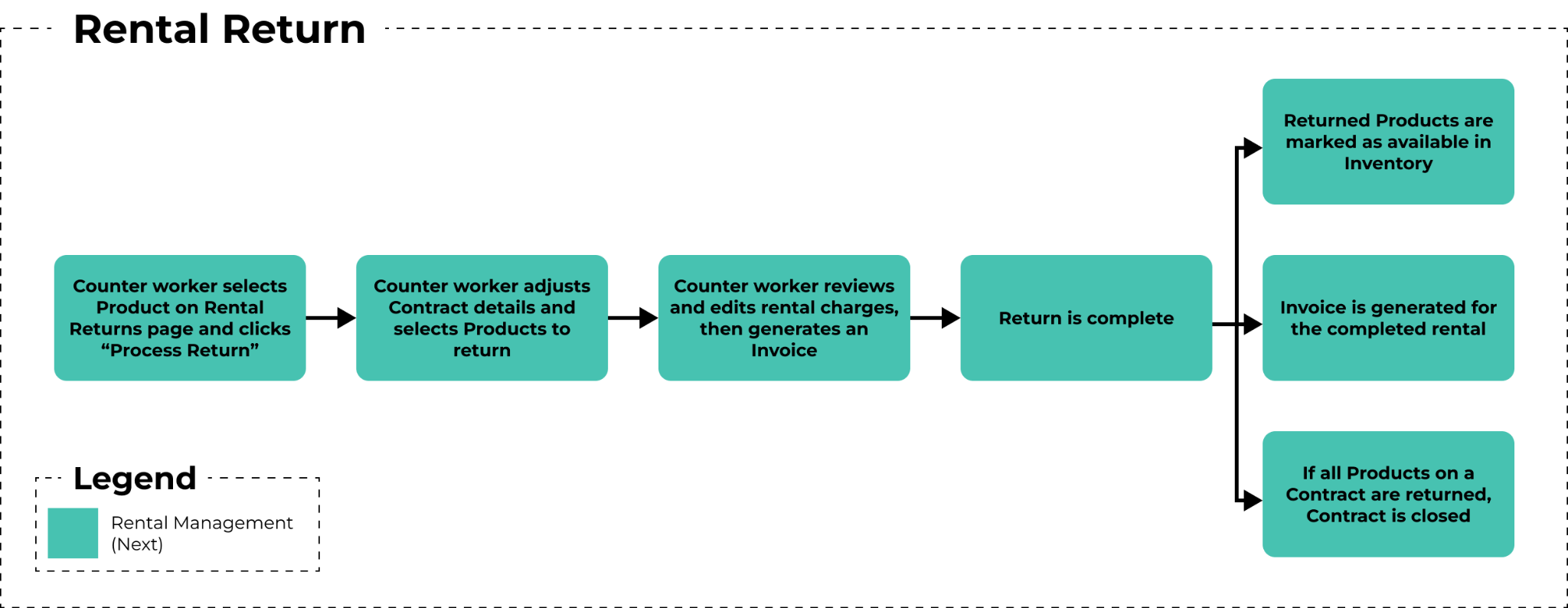 The workflow for Rental Returns. Click to view the full-size image.
A Rental Return is a Return that is both initiated and completed by a counter worker using Rental Management (Next). These Returns are generally for smaller Products that can be brought directly to the rental counter.
In Rental Management (Next), Rental Returns are managed via the Rental Returns page at Returns → Rental Returns.
- For more information on the Rental Returns page, see “The Rental Returns Page”.
- For more information on processing Returns, see “Process a Return in Rental Management (Next)”.
Check-Ins
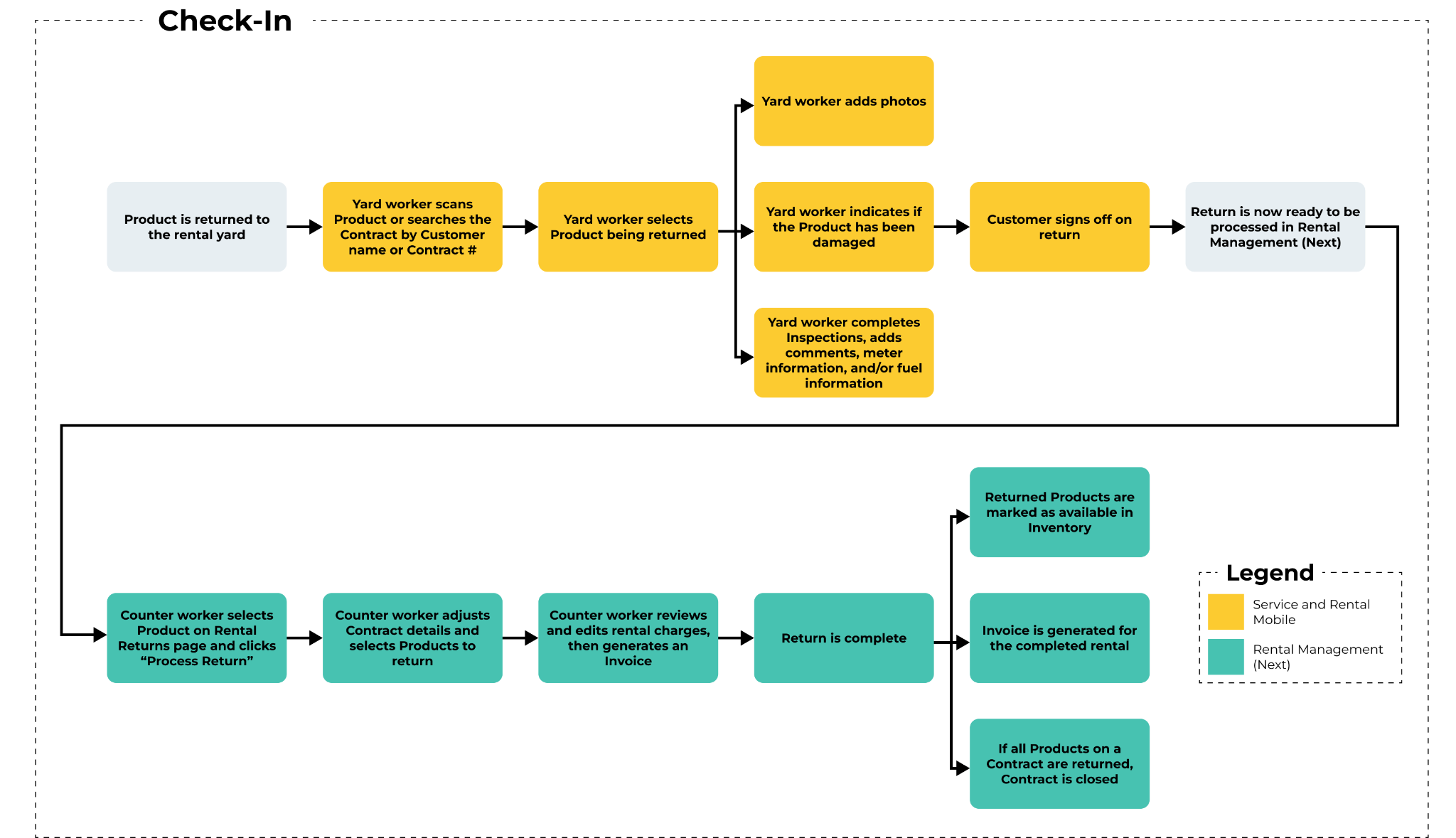 The workflow for Check-Ins. Click to view the full-size image.
A Check-In is a Return that is initiated by a yard worker using Service and Rental Mobile, then processed by a counter worker using Rental Management (Next). Check-Ins are used when Products are returned directly to the rental yard instead of the counter.
For example, if a Customer has rented an excavator, they will likely return it directly to the yard as there is not enough physical space at the rental counter. In this case, a yard worker with a mobile device running Service and Rental Mobile can scan the excavator, inspect it, and have the Customer sign off on the return. The return can then be finalized by a counter worker using Rental Management (Next).
Once a Check-In is created, the date and time of the return is recorded in the system, effectively pausing billing on the corresponding rental. However, the Invoice for the rental will only be created once the Return has been processed in Rental Management (Next). This means that the return date can be different from the invoice date, with the final cost of the rental being determined by the former, not the latter. For example, if a Product was rented out on January 10th, returned via Check-In on February 8th, then processed and invoiced on February 15th, the final rental period would be Jan 10th to Feb 8th, NOT Jan 10th to Feb 15th.
In Service and Rental Mobile, Check-Ins can be created via the Check-In / Check-Out screen. In Rental Management (Next), Check-Ins are managed via the Check-In List page at Returns → Check-In.
- For more information on creating Check-Ins in Service and Rental Mobile, see “Complete a Check-In or Check-Out in Service and Rental Mobile”.
- For more information on the Check-In List page in Rental Management (Next), see “The Check-In List Page”.
- For more information on processing Returns, see “Process a Return in Rental Management (Next)”.