
Projects in Equipment CRM are currently available for TexadaOne customers. If you are interested in joining TexadaOne, please contact your Texada account representative.
In This Article
Introduction
For heavy equipment dealerships, infrastructure jobs such as a highway expansions or major commercial developments aren’t just single sales – they are goldmines of long-term revenue streams. Large-scale construction projects involve multiple subcontractors, shifting timelines, and a continuous need for rentals, sales, and service.
The Projects feature in Equipment CRM is designed to give your dealership a competitive edge. Instead of tracking scattered leads independently, Projects allow you to aggregate every associated subcontractor, contact, sales activity, and piece of equipment under a single, centralized record. By maintaining full visibility into the scope and relationships driving a project, your sales and service teams can time their outreach perfectly, protect margins, and capture maximum market share.
The Project Workflow
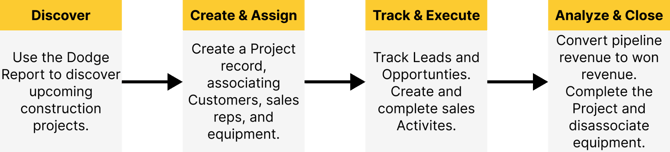
Managing a project through its lifecycle follows a natural, high-level progression within Equipment CRM:
- Discover: Identify upcoming construction opportunities early using market intelligence data.
- Create & Assign: Establish the Project record manually or auto-populate it using Dodge data. Associate the Project with Equipment CRM customers, contacts, and equipment records. Assign sales reps to own the Project.
- Track & Execute: Quickly create Leads, Opportunities, and sales Activities based on Project information. Track their progress and create follow-up activities.
- Analyze & Close: Watch pipeline revenue convert to won revenue in real-time. Once the job wraps up, mark the Project as completed to automatically disassociate linked equipment.
Key Features
Learn more about the key components of Project functionality in Equipment CRM!
Spotting Opportunities (Dodge Report)
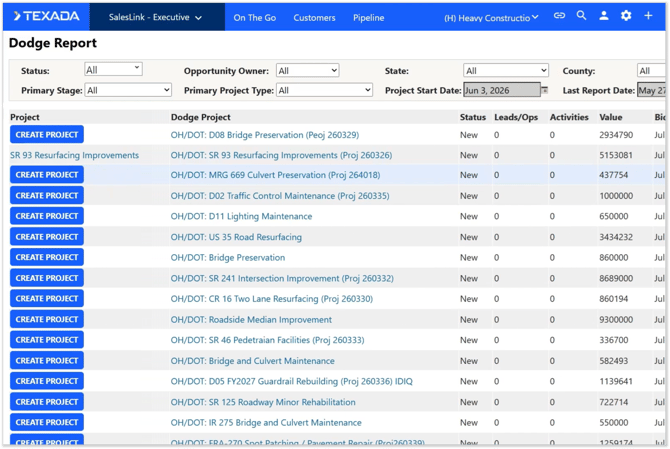
Before a shovel even hits the ground, the Dodge Report integration helps your dealership spot new construction projects early. This page lets you filter upcoming local and regional developments, view estimated valuations, and see which companies are already attached to the job. When you find a project worth pursuing, you can convert it into an Equipment CRM Project with a single click.

Centralized Tracking (The Projects List)
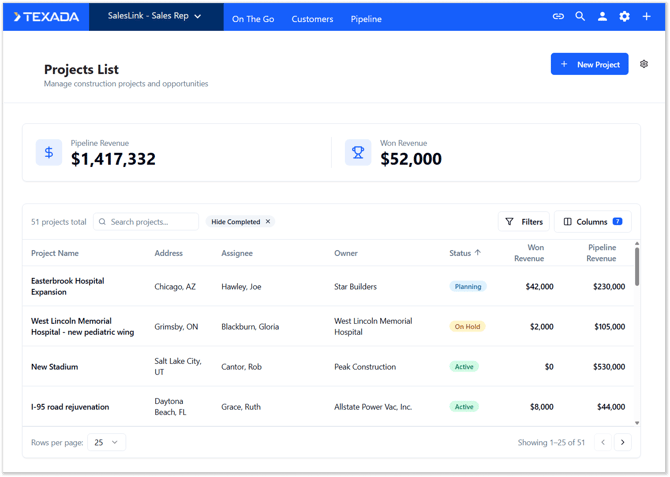
The Projects List serves as your team’s main command dashboard. From here, executives and sales reps can easily browse, search, and filter active projects. Crucially, the dashboard aggregates high-level financial health metrics – such as Pipeline Revenue (open opportunities) and Won Revenue (closed-won deals) – giving management immediate insight into the total value of their construction pipeline.
Creating and Editing Records
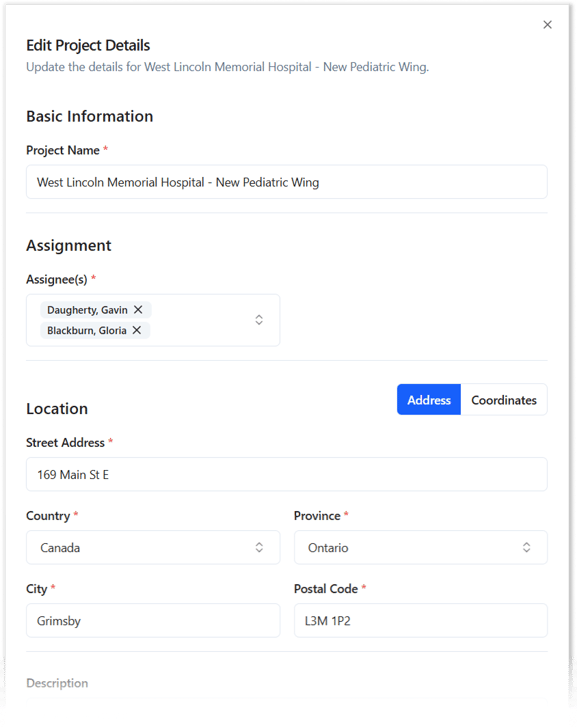
Whether starting from scratch or pulling pre-filled intelligence data directly from a Dodge project, generating a new Project record is fast and intuitive. The Create / Edit Project workflow ensures consistency across your data, prompting users to fill out target start dates, bid deadlines, project addresses, and project types (such as commercial or industrial).
Executing and Deep-Diving (Project Details)
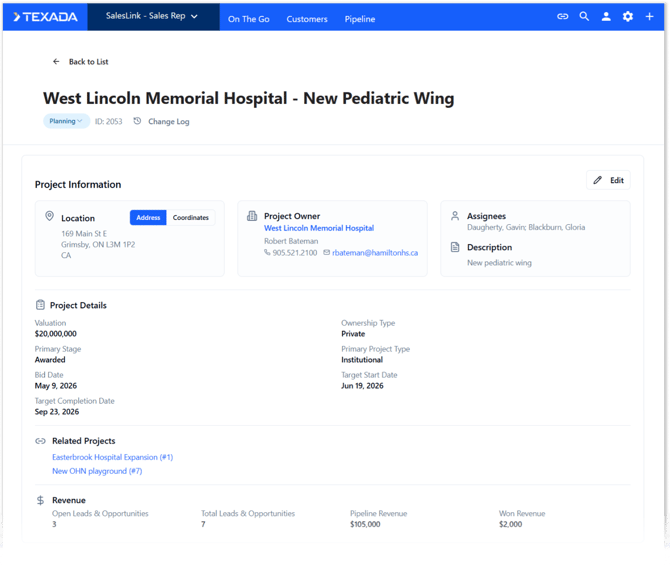
The Project Details page is where your sales team executes day-to-day operations. It acts as a comprehensive, living file for the job site, divided into distinct tracking panels:
- Companies & Contacts: List the general contractors and subcontractors tied to the Project, complete with their specific roles. Create Leads or sales Activities directly from their profiles.
- Leads & Opportunities: Monitor every open deal associated with the Project and track the cumulative estimated revenue.
- Activities: Manage completed and outstanding sales Activities related to the Project. You can even bulk-create Activities for multiple subcontractors directly from the Project Details page!
- Customer Equipment: Keep tabs on exactly which pieces of Customer or competitor equipment are currently active on the job site.
- Notes & Change Log: Leave tagged notes and attachments for your team, and reference a transparent change log to see how the Project record has evolved over time.
System Customization (Project Administration)
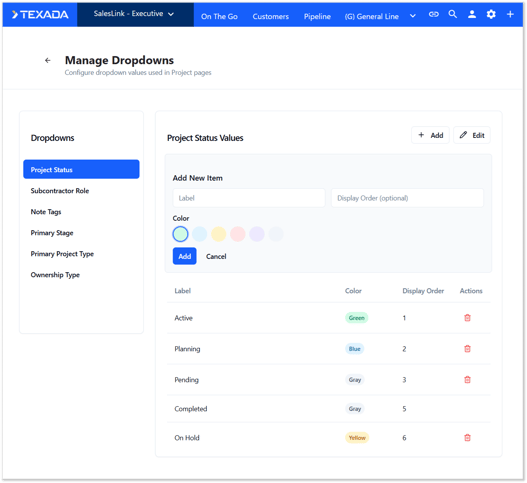
To ensure the feature mirrors your dealership's unique operational style, administrators have access to robust back-end configurations. Through Project Settings, authorized users can customize system dropdowns—including Project Statuses, specialized Subcontractor Roles, and Note Tags. Administrators can also configure Dodge field mappings so that Projects created from Dodge align with your Equipment CRM naming conventions.
Additional Changes
Some existing Equipment CRM features have been updated to accommodate the new Projects functionality. You can learn more about these changes here.
Project Field on Opportunity, Activity, and Equipment Records
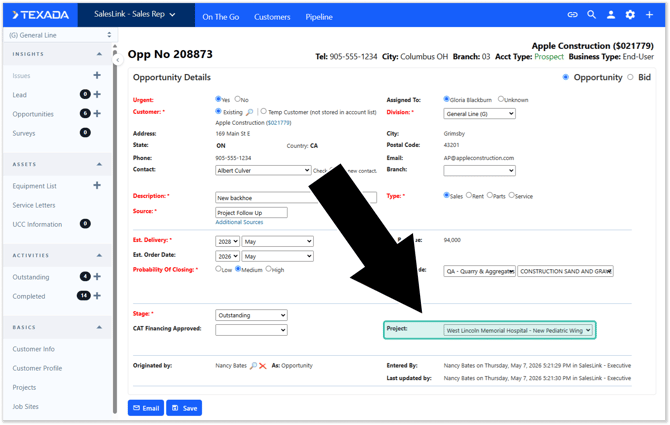
A new “Project” field has been added to the Opportunity Details, Activity Details, and Customer Equipment screens, making it easy to see which Project, if any, a given activity or piece of equipment is associated with. Note that each activity and piece of equipment can only be associated with one Project at a time.
Project Tab on Customer Details Page
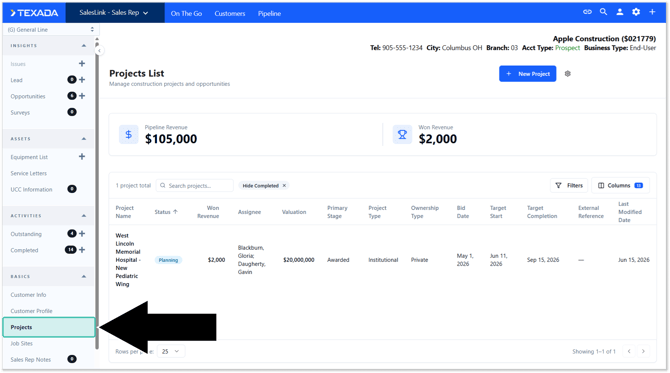
A new “Projects” tab has been added to the Customer Details page. This tab functions as a Customer-centric version of the Project List, showing you only Projects associated with the Customer you’re currently viewing. Just like the full Project List, you can click on a Project to quickly load its details.
API Support
Texada is proud to offer API support for Projects in Equipment CRM! These APIs allow your IT team to connect their external reporting systems – such as PowerBI – to your Equipment CRM data.
Watch the above video to learn about the API endpoints you can use to retrieve Project data.
Configuration
The behavior of Projects in Equipment CRM can be managed via two configuration keys in CloudLink Console. See “Manage Configuration Keys” for more information.
Enable Projects Functionality
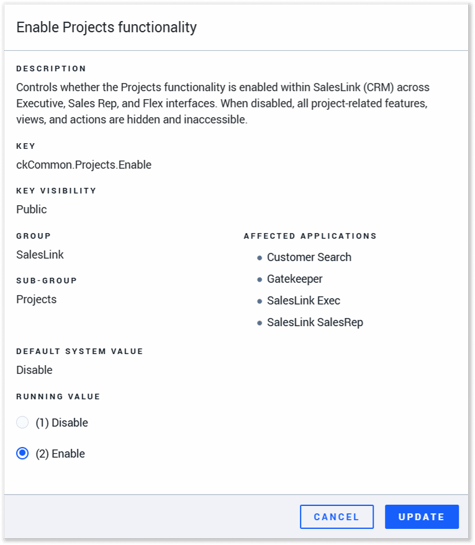
Key: ckCommon.Projects.Enable
This master key can be used to enable and disable all Project-related functionality. This key is enabled by default.
- (1) Disable: Projects functionality is disabled. All Project-related features, views, and actions will be hidden and inaccessible.
- (2) Enable: Projects functionality is enabled.
Sales Rep Permissions for Project Records
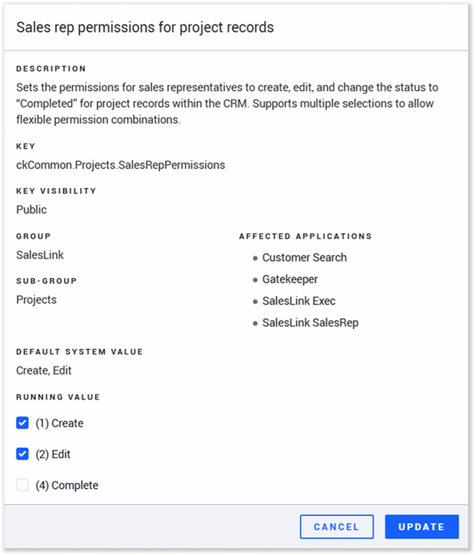
Key: ckCommon.Projects.SalesRepPermissions
This key can be used to control whether sales reps are able to create, edit, and complete Projects in Equipment CRM. These permissions can each be enabled and disabled independently.
- (1) Create: Sales reps can use the New Project button on the Project List screen and the Create Project buttons on the Dodge Report screen to create new Project records.
- (2) Edit: Sales reps can use the Edit button on the Project Details page to edit Project records. Note that disabling this option does not prevent users from modifying other records associated with Project records, such as Leads, Opportunities, Customers, and equipment.
- (4) Complete: Sales reps can use the Status drop-down on the Project Details page to mark Projects as Completed. Marking a Project as Completed will disassociate all equipment from the record, so this permission is provided to help reduce the risk of Projects being completed prematurely. Note that all executive users are able to set Projects as complete, even when this option is disabled.
Project Bulk Activity Creation
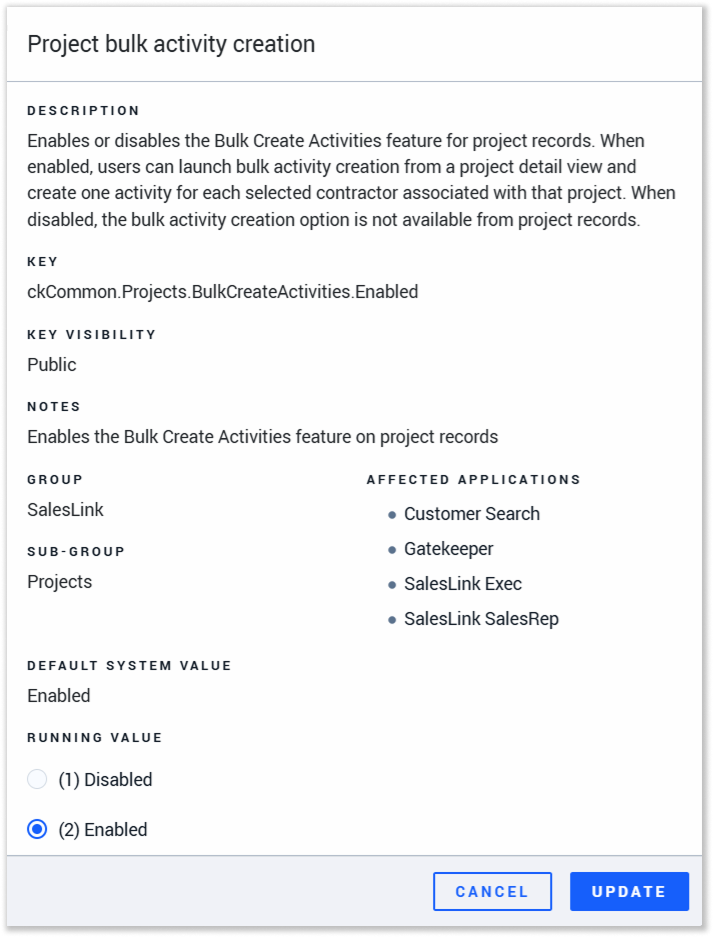 Key: ckCommon.Projects.BulkCreateActivities.Enabled
This key enables or disables the Bulk Create Activities feature for Project records.
- Enabled: Users can launch bulk Activity creation from the Project Details page and create one Activity for each selected contractor associated with that Project.
- Disabled: the bulk Activity creation option is not available from Project records.